
WordPress Login Page
Route customer-facing login and registration traffic through WooCommerce My Account instead of the default WordPress login page.
Availability: Free
Page Navigation
- Current guide: WordPress Login Page
- Where to open it: WordPress Admin -> ArraySubs -> Settings -> Toolkit
- Direct route:
/wp-admin/admin.php?page=arraysubs-mainadmin#/settings/toolkit - Section overview: Manual Home
- Previous guide: Admin Dashboard Access
- Next guide: Login as User
- Troubleshooting: Audits, Logs, and Troubleshooting
What This Tool Does
Hide WordPress login page redirects visits to the default /wp-login.php screen. Most stores use this to send customers to the WooCommerce My Account page, where login, registration, subscriptions, orders, payment methods, and customer portal pages live together.
This is especially useful when your site should feel like a branded subscription application instead of a WordPress backend.
When to Use This
- Customers should log in from WooCommerce My Account.
- You do not want public links to show the default WordPress login screen.
- Your theme, menu, or emails use WordPress login helpers and you want those helpers to resolve to the customer account page.
Before You Enable It
Confirm these are already working:
- WooCommerce has a published My Account page.
- The page contains the WooCommerce account shortcode or block.
- Registration settings match your launch plan.
- Password reset and account emails are working.
How to Configure It
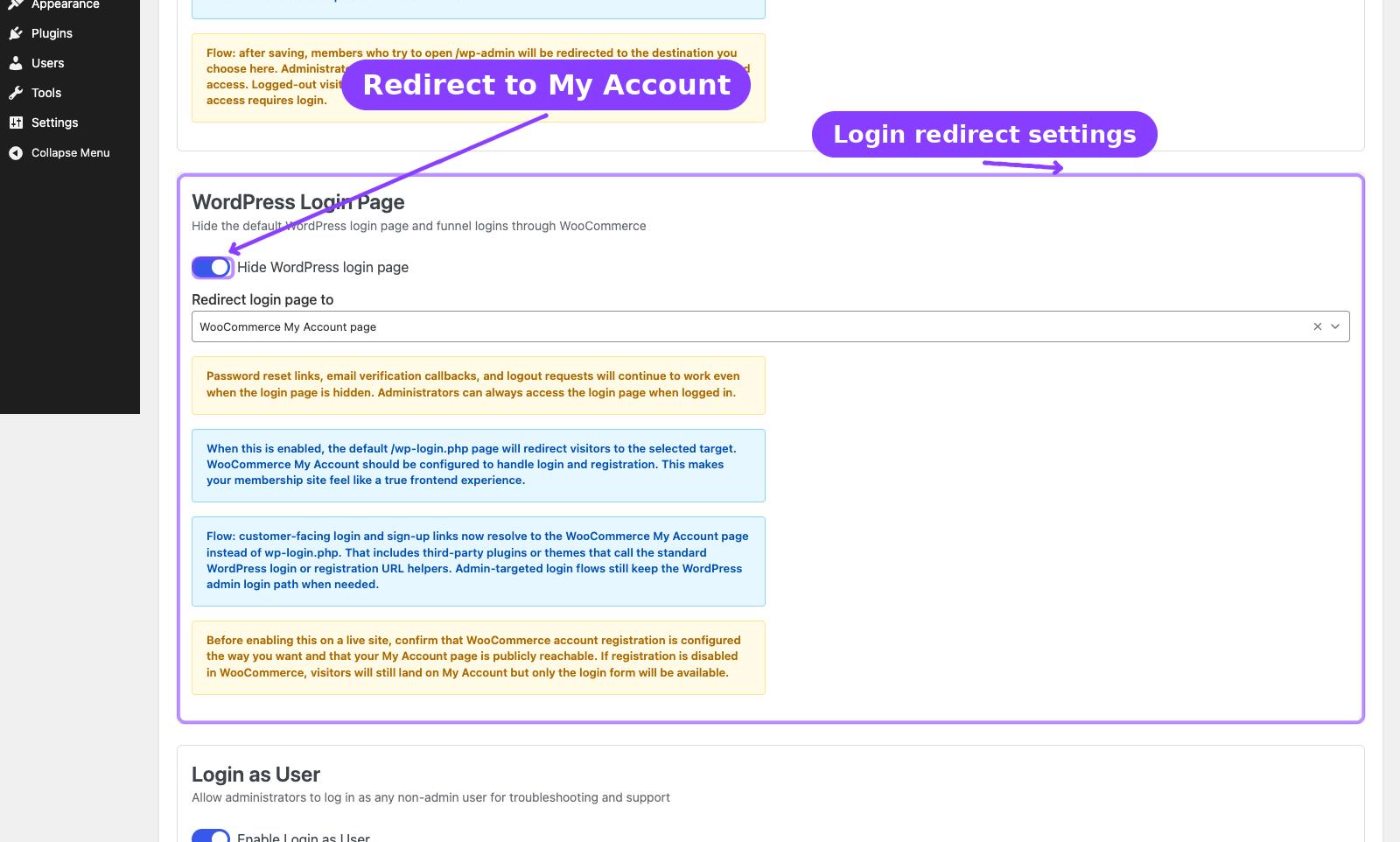
- Go to ArraySubs -> Settings -> Toolkit.
- Turn on Hide WordPress login page.
- Choose Redirect login page to:
- WooCommerce My Account page for the standard customer login flow.
- 404 Not Found page if you want the default login URL to look unavailable.
- Click Save Settings.
- Open a private browser window and visit
/wp-login.php. - Confirm the browser lands on your selected destination.
Settings Reference
| Setting | Default | Type | Notes |
|---|---|---|---|
| Hide WordPress login page | Off | Toggle | Enables the login-page redirect |
| Redirect login page to | WooCommerce My Account page | Dropdown | Appears when the login redirect is on |
Important Notes
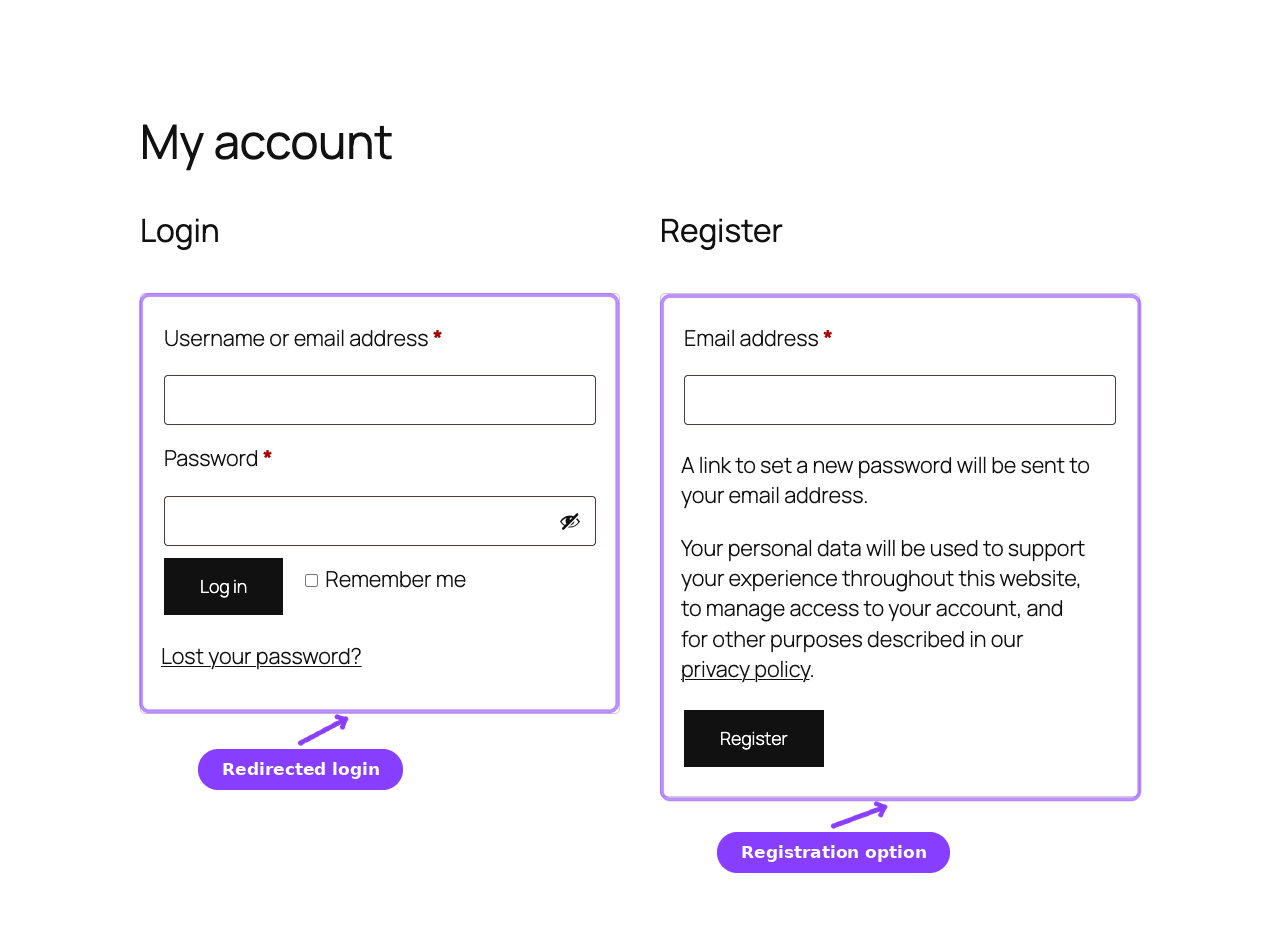
- Password reset links continue to work.
- Email verification callbacks continue to work.
- Logout requests continue to work.
- Administrators can still complete admin-targeted login flows when needed.
- If WooCommerce account registration is disabled, customers will see the login form but not a registration form.
Troubleshooting
| Problem | Likely Cause | What to Do |
|---|---|---|
Visitors still see /wp-login.php |
Setting is off or cache is serving the old page | Save Toolkit again and clear all caches |
| Customers cannot register | WooCommerce registration is disabled | Check WooCommerce account settings |
| My Account page looks wrong | Page missing WooCommerce account block/shortcode | Rebuild or republish the My Account page |
Related Guides
- Customer Portal Pages — Customer-facing subscription account pages.
- First-Time Setup — Store setup checklist before launch.