
Feature Manager
ProDefine named product entitlements — features, limits, and capabilities — so customers always know exactly what their subscription includes.
Overview
Feature Manager turns your subscription products into feature-based plans. Instead of just showing a price, each plan communicates what the customer receives: API call limits, storage quotas, priority support, custom domains, or any other entitlement you define.
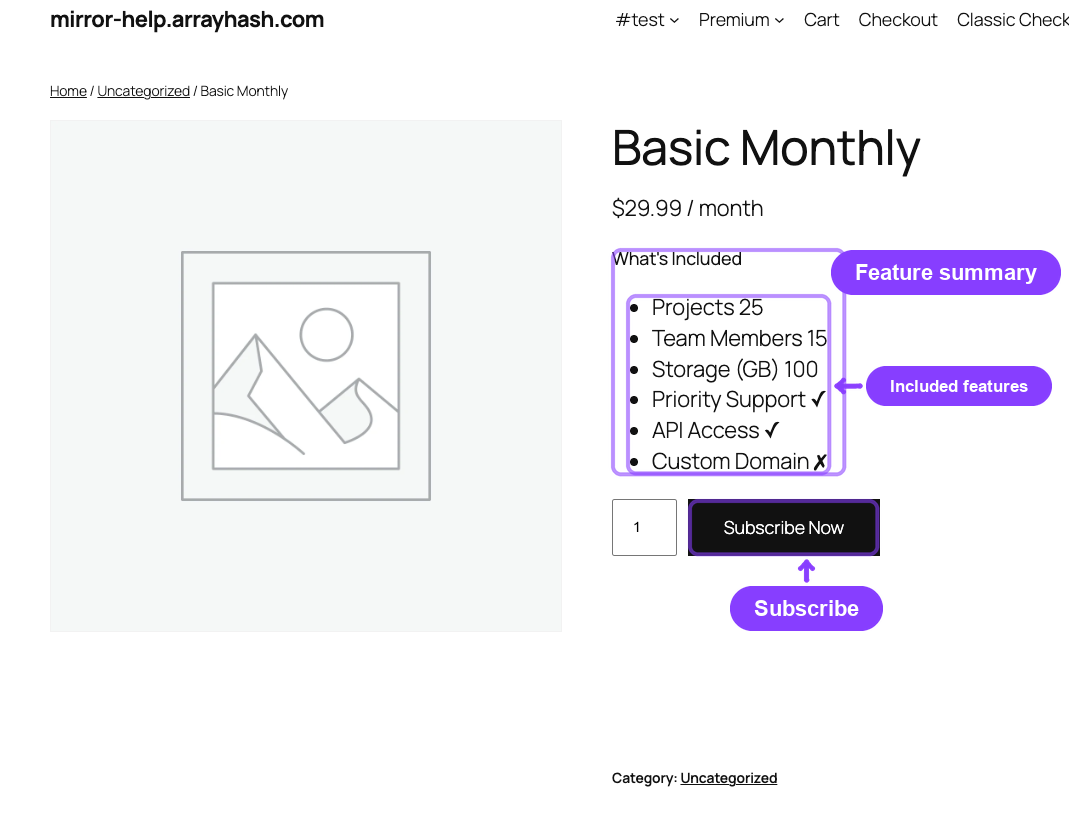
Features are defined per product (or per variation), displayed on the storefront product page, and surfaced to customers in a dedicated My Features page inside their My Account area. Admins can review any customer's entitlements from the subscription detail screen or the Manage Members profile.
The module also supports usage tracking — showing customers how much of their entitlement they have consumed (e.g., "3 / 10 API calls used") — and feature templates for reusing the same feature sets across multiple products.
When to Use This
- You sell tiered subscription plans and want each tier to clearly list what's included.
- You offer SaaS-like entitlements (storage, API calls, seats, bandwidth) and need customers to see their limits.
- You want to track feature consumption and display usage progress to customers and admins.
- You need a fast way to define identical feature sets across multiple products using templates.
- You want the storefront product page to prominently show a "What's Included" summary for each plan.
Prerequisites
- ArraySubs (core plugin) installed and active.
- ArraySubs Pro installed and active.
- At least one subscription product created.
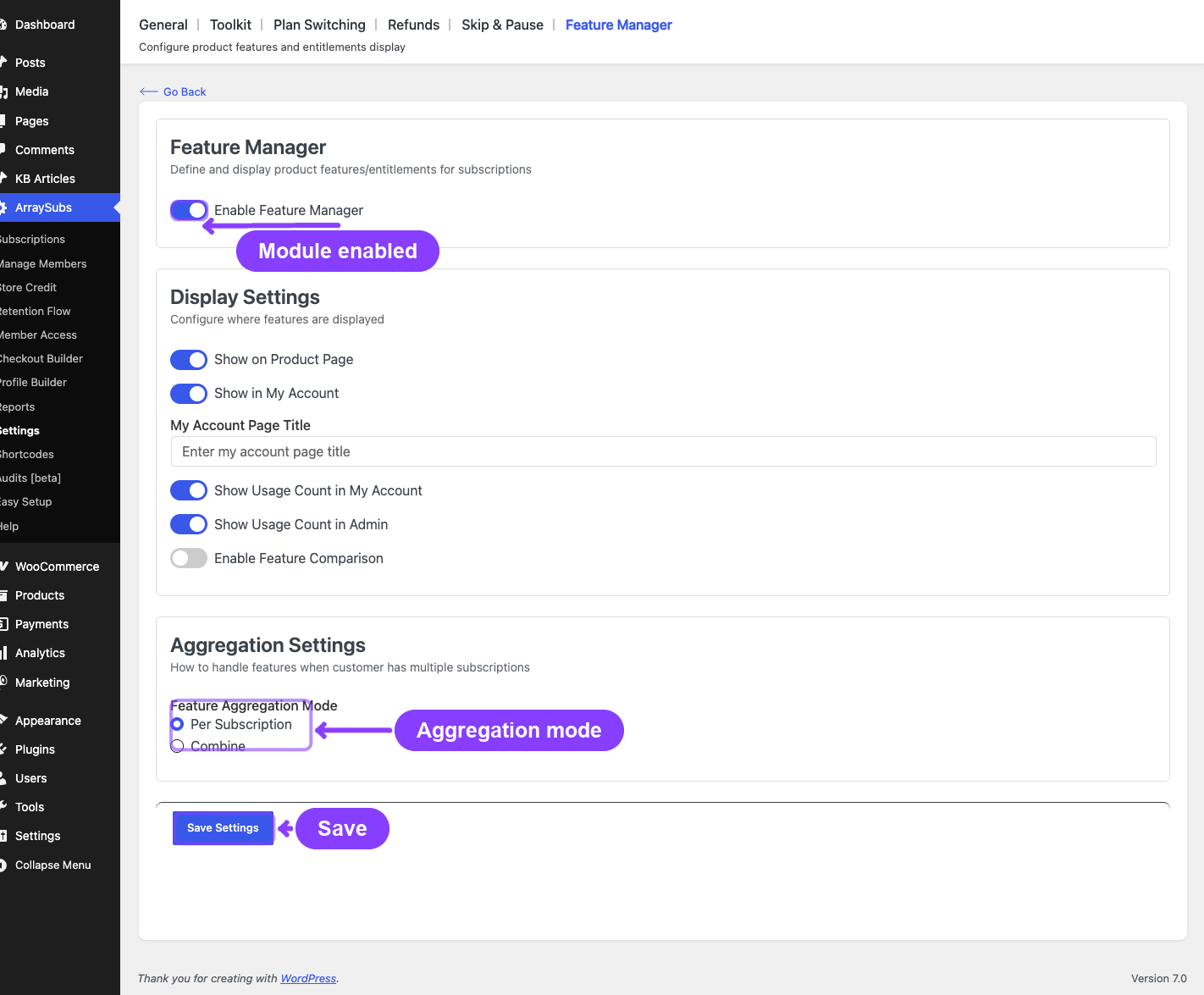
- Feature Manager enabled in settings (ArraySubs → Settings → Feature Manager → Enable Feature Manager).
How It Works
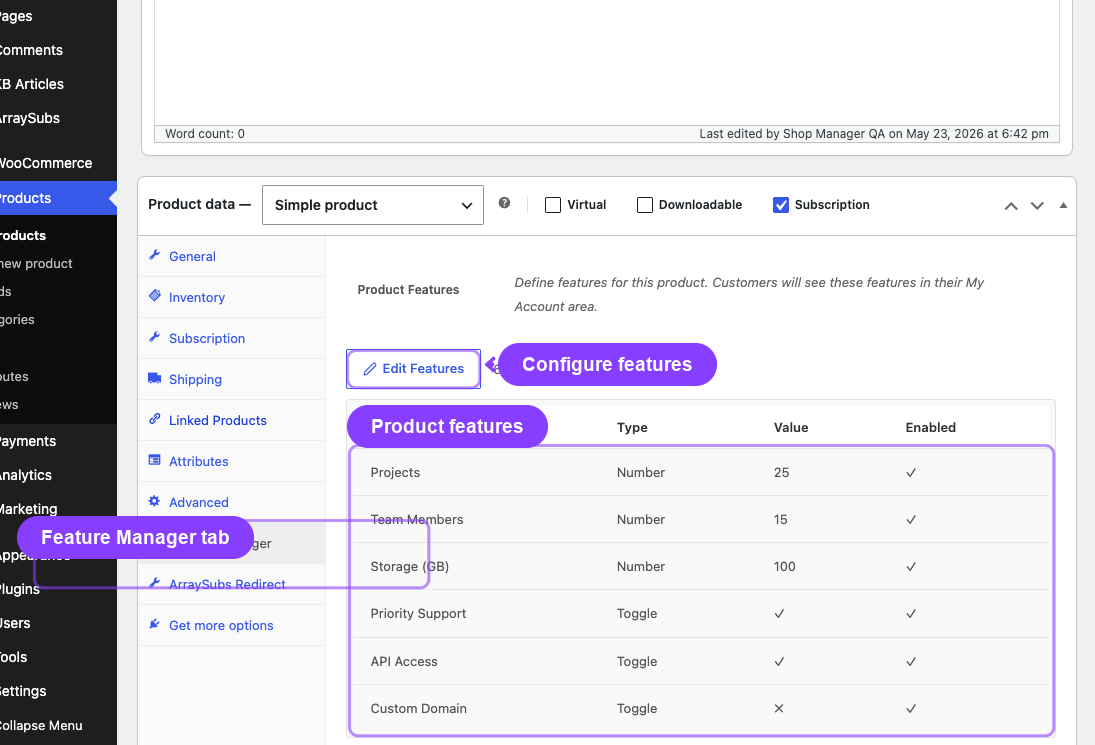
- Define features on products. In the WooCommerce product editor, open the Feature Manager tab and add named features with types and values.
- Features flow to subscribers. When a customer purchases or subscribes to that product, they become entitled to those features.
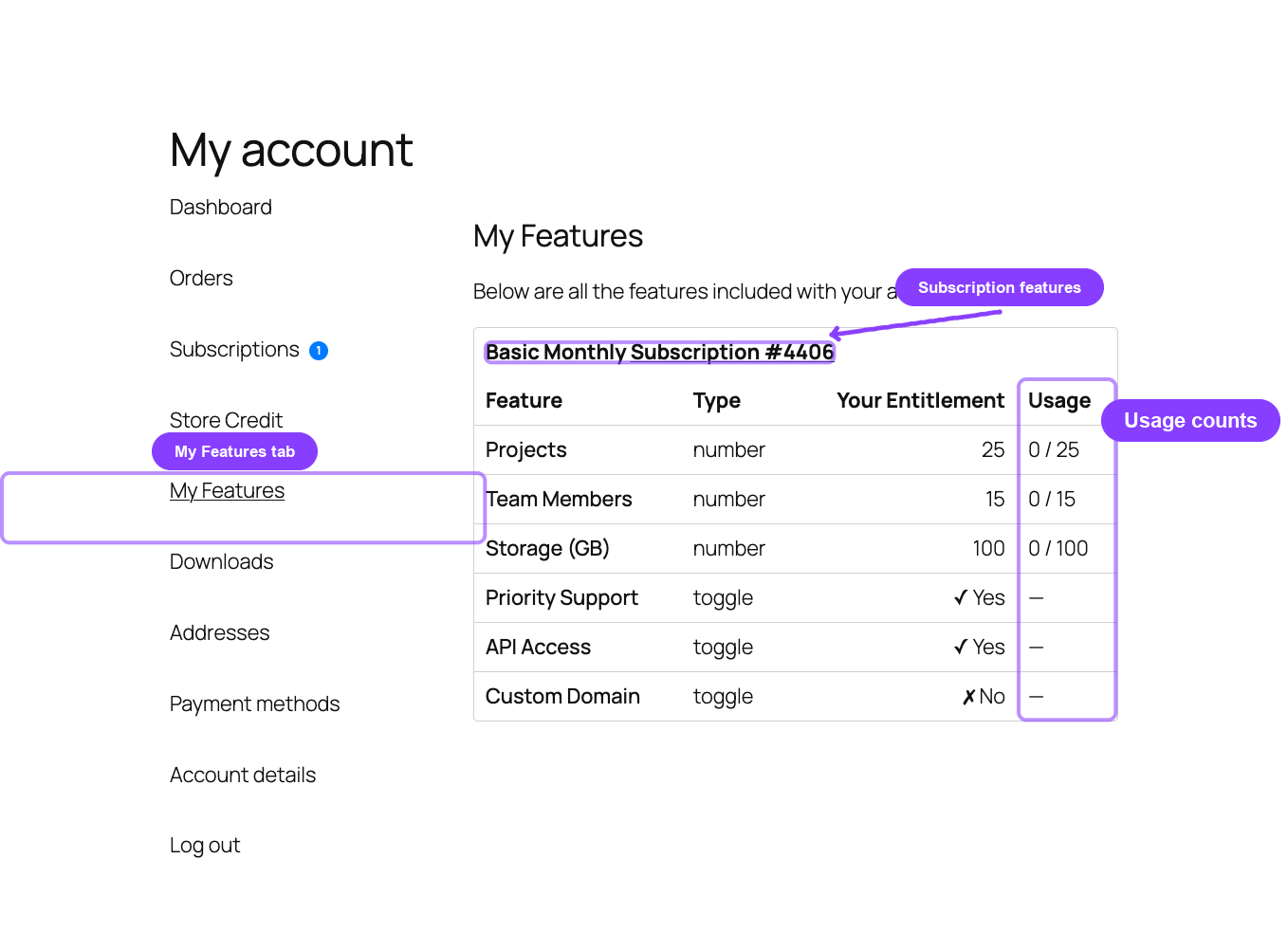
- Customers see their entitlements. The My Features page in My Account shows all features from their active subscriptions — either grouped per subscription or combined into one table.
- Admins review entitlements. From any subscription's detail screen or the Manage Members profile, admins can open the Feature Log to review a customer's complete entitlement picture.
- Optional: usage tracking. For number-type features, your site's custom code or integrations can record consumption. Usage counts are displayed alongside entitlements in both the customer and admin views.
Section Navigation
| Page | What It Covers |
|---|---|
| Defining Product Features | Add, edit, and manage features in the product editor — feature types, templates, and variation-level overrides. |
| Customer and Storefront Display | My Features page, storefront "What's Included" section, aggregation modes, and usage tracking. |
| Feature Manager Settings | Every setting in the Feature Manager settings panel — toggles, aggregation, usage, and comparison. |
FAQ
Is Feature Manager a free feature? No. Feature Manager requires ArraySubs Pro. The settings page appears in the core admin area, but the product editor tab, storefront display, My Account page, and REST endpoints are all provided by the Pro plugin.
Can I define different features for each variation of a variable product? Yes. Variable products have Feature Manager fields in each variation row. Each variation can have its own independent feature set.
Do features carry over when a customer switches plans? Features are always read from the current product or variation linked to the subscription. When a customer switches plans, the new plan's features replace the previous ones immediately.
Can I track how much of a feature a customer has used? Yes. Number-type features support usage tracking via the plugin's helper functions. When usage tracking is enabled in settings, the Usage column appears in both the customer's My Features page and the admin Feature Log. Usage data is managed through code-level helper functions designed for integrations.
What happens to features when a subscription is cancelled or on hold?
Features are only shown for subscriptions with an active or trial status. Once a subscription moves to cancelled, expired, or on-hold, those features no longer appear in the customer's My Features page.
Related Docs
- Product Experience and Display — Broader storefront product display options.
- Customer Portal Pages — How My Features fits into the customer account area.
- Admin Tools and Records — Feature Log access from the subscription detail screen.
- Manage Members — Feature Log shortcut from the member profile.
Page Navigation
- Current guide: Feature Manager Pro
- Where to open it: WordPress Admin -> Products -> Edit Product and ArraySubs -> Settings -> Feature Manager
- Section overview: Open overview
- Previous guide: feature-manager-settings
- Next guide: before-you-launch
- Troubleshooting: Audits, Logs, and Troubleshooting