
Redirect Product Page
ProSend direct subscription product URLs to a custom sales page or return a 404 while keeping checkout links and backend product management working.
Availability: Pro
Page Navigation
- Current guide: Redirect Product Page
- Where to open it: WordPress Admin -> Products -> Edit Product -> Product data -> ArraySubs Redirect
- Section overview: Open overview
- Previous guide: Subscription Products
- Next guide: Subscription Shipping
- Troubleshooting: Audits, Logs, and Troubleshooting
Overview
Redirect Product Page is a Pro product-experience module. It controls what happens when somebody opens the direct WooCommerce product page for a subscription product.
Use it when the product is sold through a custom landing page, sales funnel, membership page, or direct checkout button, and the default WooCommerce product page should not be public.
What It Controls
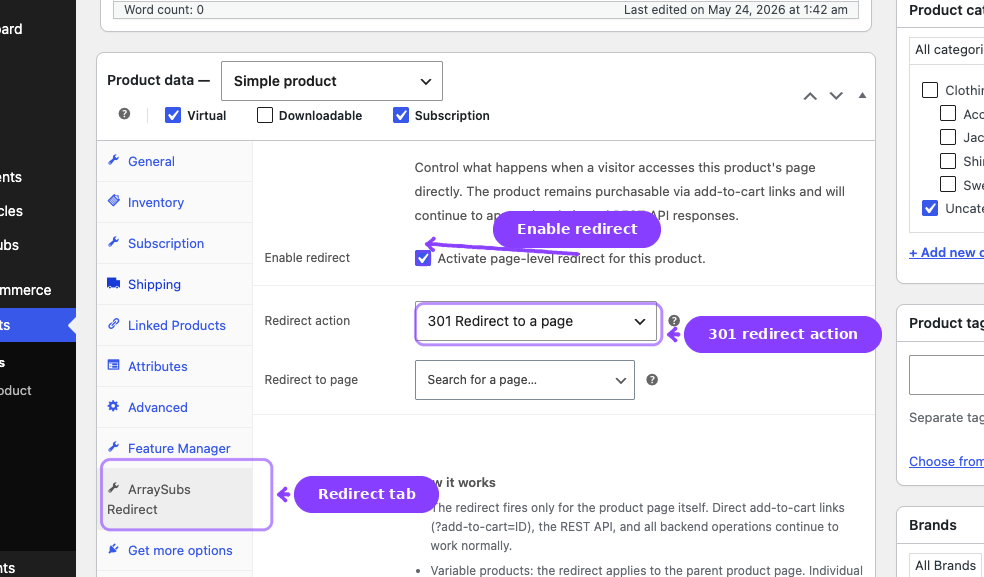
| Setting | Purpose |
|---|---|
| Enable redirect | Turns product-page handling on for this product |
| Redirect action | Chooses between a permanent redirect and a 404 response |
| Redirect to page | Selects the destination page when using the redirect action |
Behavior
301 Redirect
A visitor who opens the product URL is sent to the selected page with a permanent redirect. This is useful when the custom sales page is the canonical page for the subscription offer.
404 Not Found
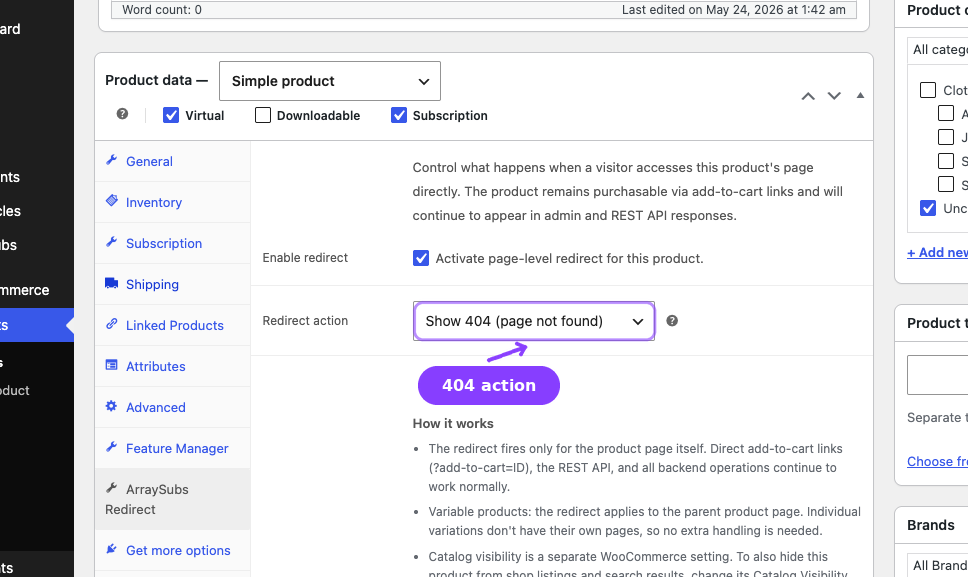
A visitor who opens the product URL receives a not-found response. This is useful when the product exists only for checkout and should not be discoverable as a product page.
What Is Not Affected
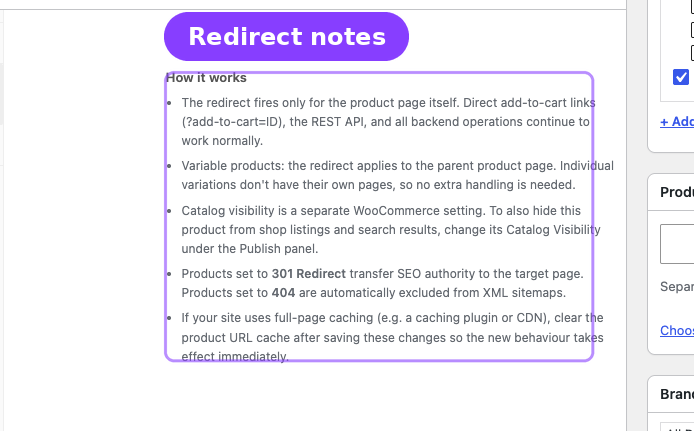
Redirect Product Page does not block:
- Direct add-to-cart links such as
?add-to-cart=123 - Checkout URLs
- REST API operations
- Product editing in wp-admin
- Admin users with backend permissions
SEO Handling
When a product is redirected or hidden with a 404, ArraySubs Pro also keeps sitemap behavior aligned:
| Integration | Behavior |
|---|---|
| WordPress core sitemaps | Excludes redirected or hidden products |
| Yoast SEO | Adds redirected products to the exclusion list |
| Rank Math | Filters redirected products from sitemap entries |
Real-Life Use Cases
Custom Sales Page
You build /join-pro/ with testimonials, pricing, FAQs, and a checkout button. The WooCommerce product exists only to power the subscription purchase. Enable Redirect Product Page and send /product/pro-membership/ to /join-pro/.
Hidden Checkout Product
You sell a subscription through a private onboarding flow. Set the product page action to 404 so visitors cannot browse the product URL directly, while your approved checkout link still works.
Related Guides
- Create and Configure Subscription Products — Subscription product setup.
- Product Experience and Display — General product display behavior.
- Subscription Shipping — Shipping controls on physical subscription products.
FAQ
Does this stop customers from buying the product?
No. It only controls the direct product page URL. Add-to-cart links and checkout flows still work.
Does this apply to variable products?
Yes. The redirect applies to the parent product page. Variations do not have separate public product URLs.
Do administrators get redirected?
No. Admin users with backend permissions can still view the product page for testing.