
Checkout and Payments
From the moment a customer clicks Subscribe Now to the day their card is automatically renewed, the checkout and payment layer controls what they see, what they pay, how they pay, and what happens behind the scenes. This section covers the complete purchase and billing integration — cart rules, checkout display, gateway processing, and custom checkout forms.
What's Covered
Subscription Checkout
The core checkout engine handles everything from cart validation to subscription creation. It enforces your store's rules about mixed carts, multiple subscriptions, billing cycle compatibility, and trial eligibility — then creates the subscription record once the order is paid.
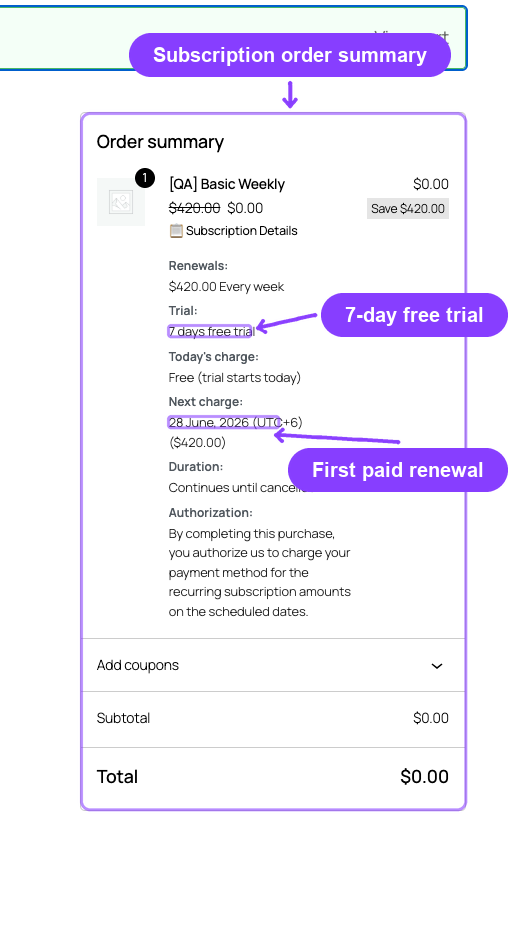
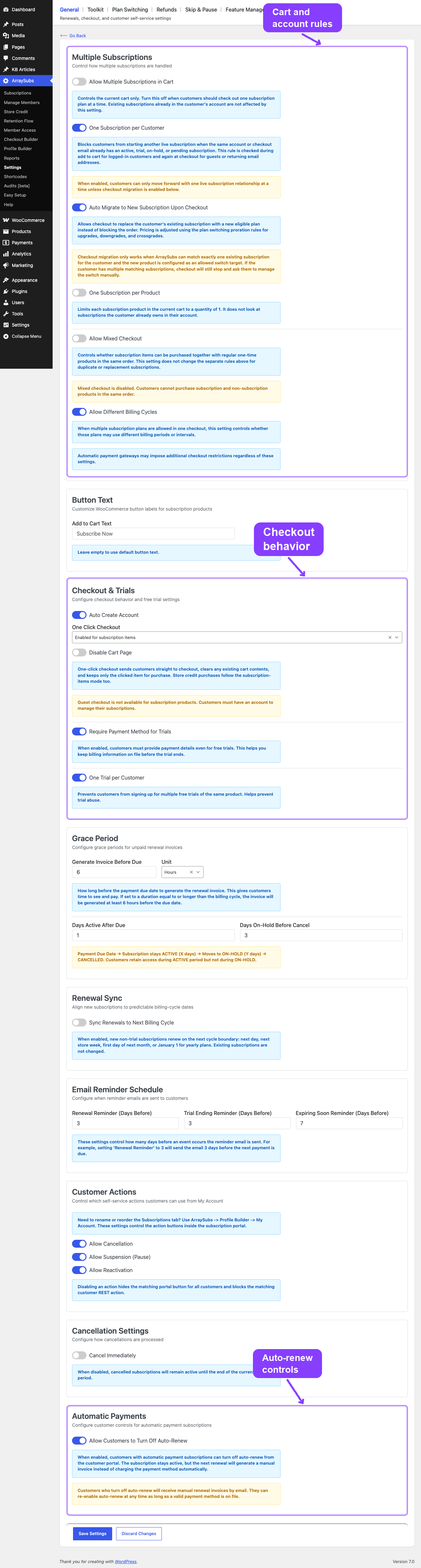
- Subscription Checkout — Cart validation rules, one-click checkout, trial behavior, auto-account creation, plan switching at checkout, and the subscription summary display.
Automatic Payments Pro
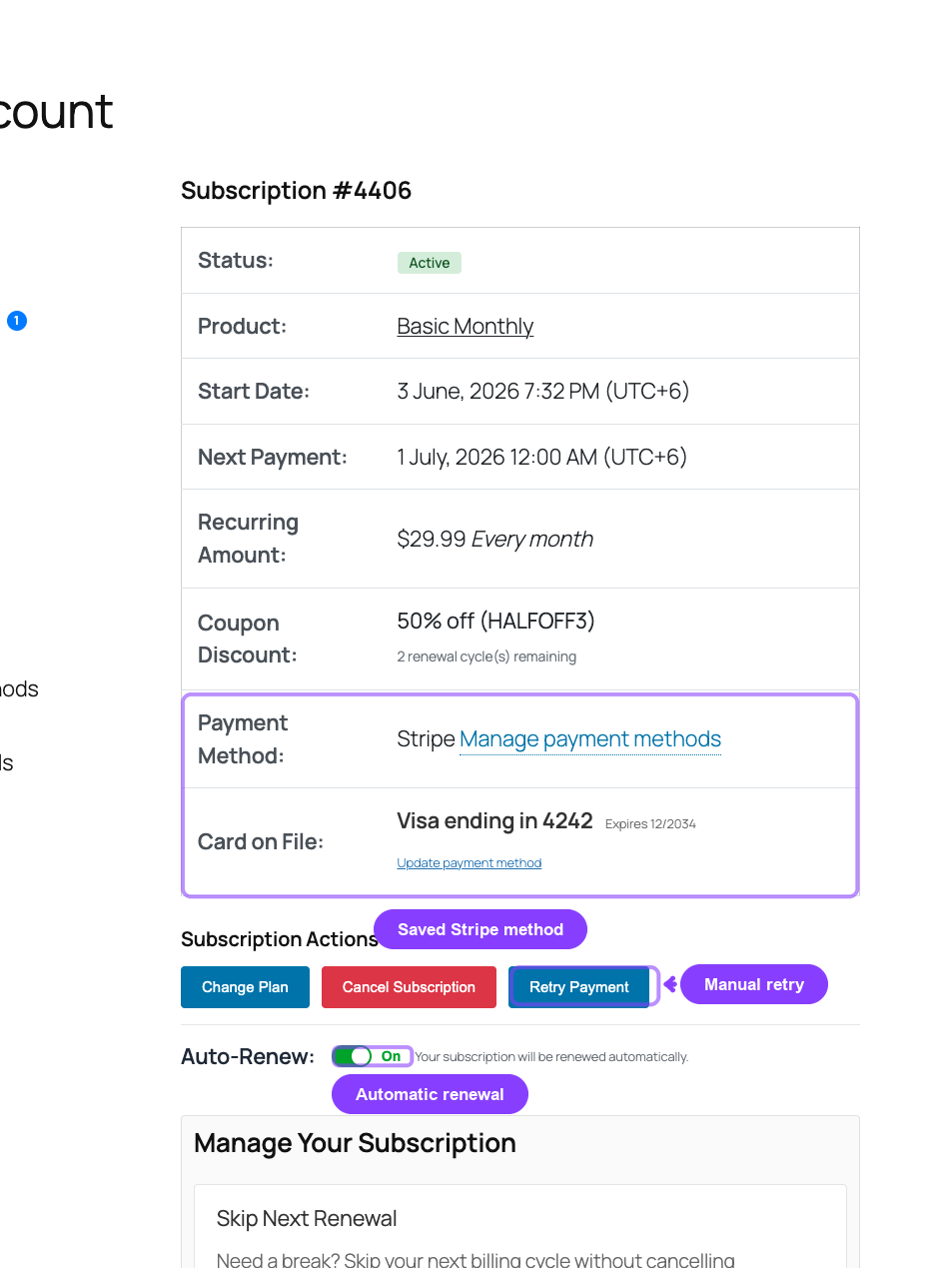
Connect your store to Stripe, PayPal, or Paddle for hands-free recurring billing. Each gateway processes initial payments, stores payment methods, and handles renewals automatically — with webhook-based event routing, dispute tracking, and a live health dashboard.
- Gateway Overview and Architecture — How ArraySubs-managed and gateway-managed billing work, gateway comparison matrix, and payment method lifecycle.
- Stripe Gateway — PaymentIntents, SetupIntents, Checkout Sessions, SCA/3D Secure, card auto-update, and dispute handling.
- PayPal Gateway — Billing Agreements, PayPal-managed renewal schedule, and Smart Payment Buttons.
- Paddle Gateway — Merchant of Record model, Paddle.js overlay, automatic tax/VAT handling, and native pause/resume.
- Auto-Renew and Manual Fallback — Customer-facing auto-renew toggle, what happens when auto-renew is turned off, and the manual invoice collection flow.
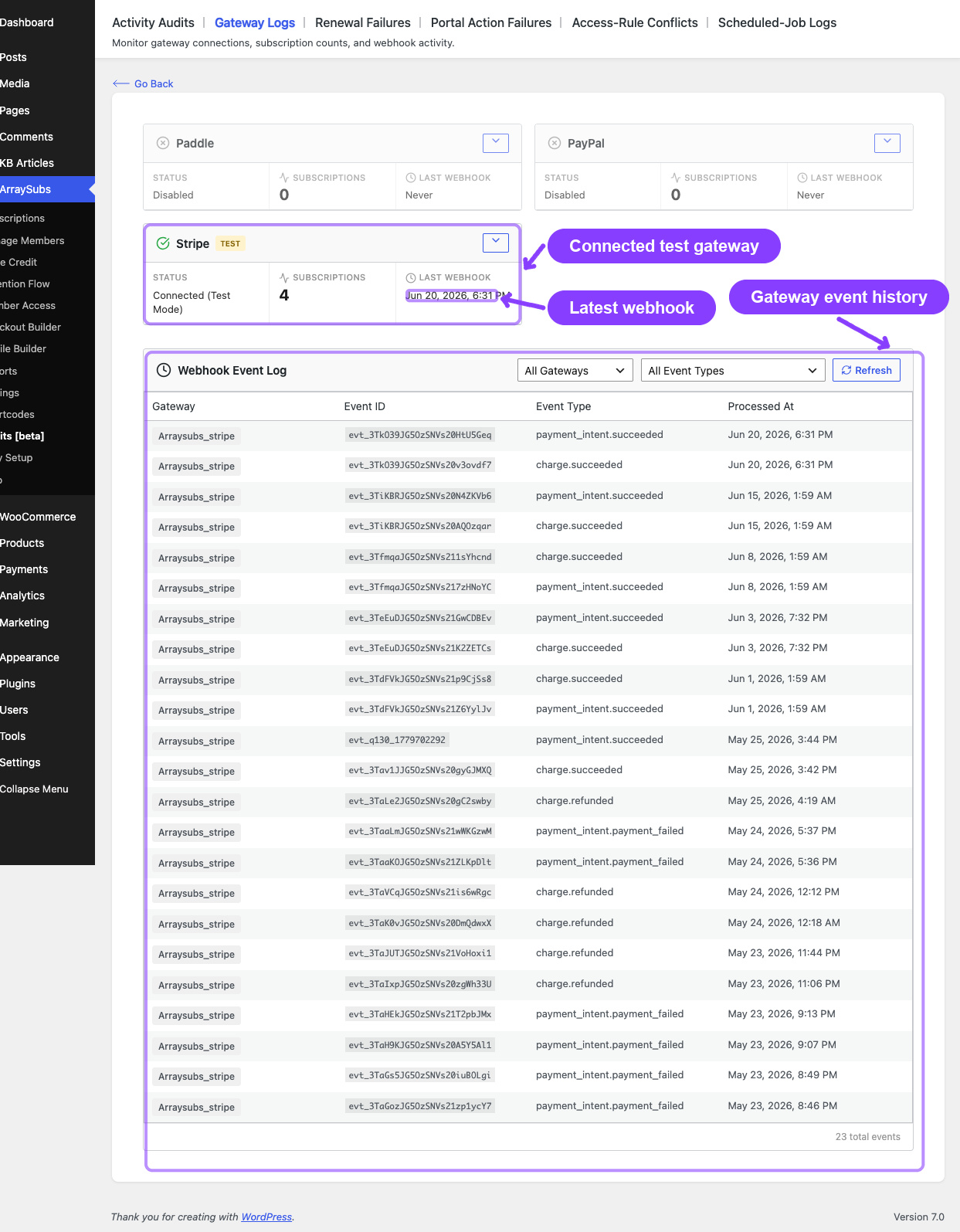
- Gateway Health Dashboard — Gateway status cards, subscription counts, webhook URL configuration, event log, and monitoring.
Checkout Builder Pro
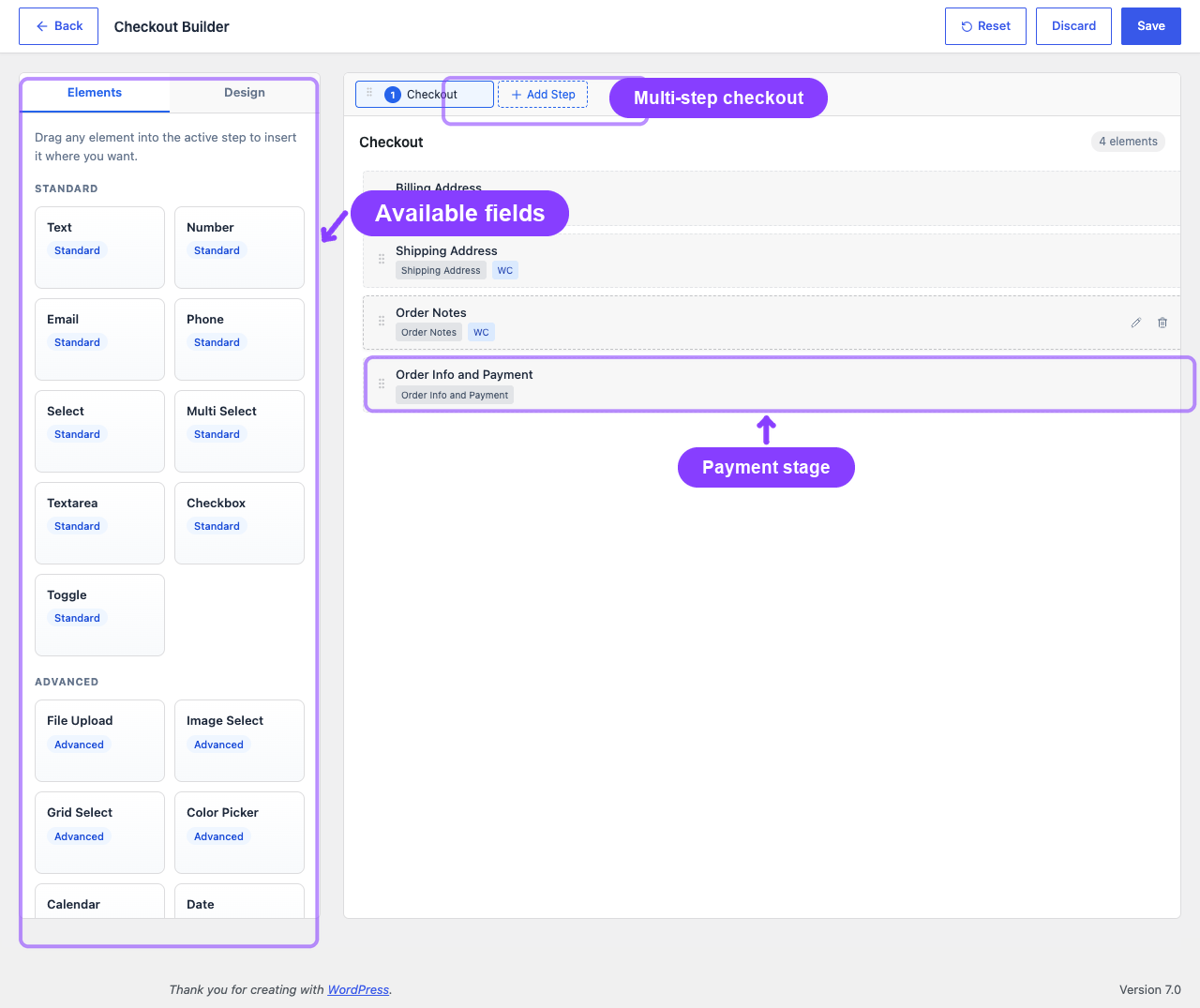
Replace the default WooCommerce classic checkout form with a fully customizable, multi-step checkout experience. Drag and drop 28 element types, apply conditional visibility rules, style every element, and capture custom data that flows through to orders, subscriptions, and renewal invoices.
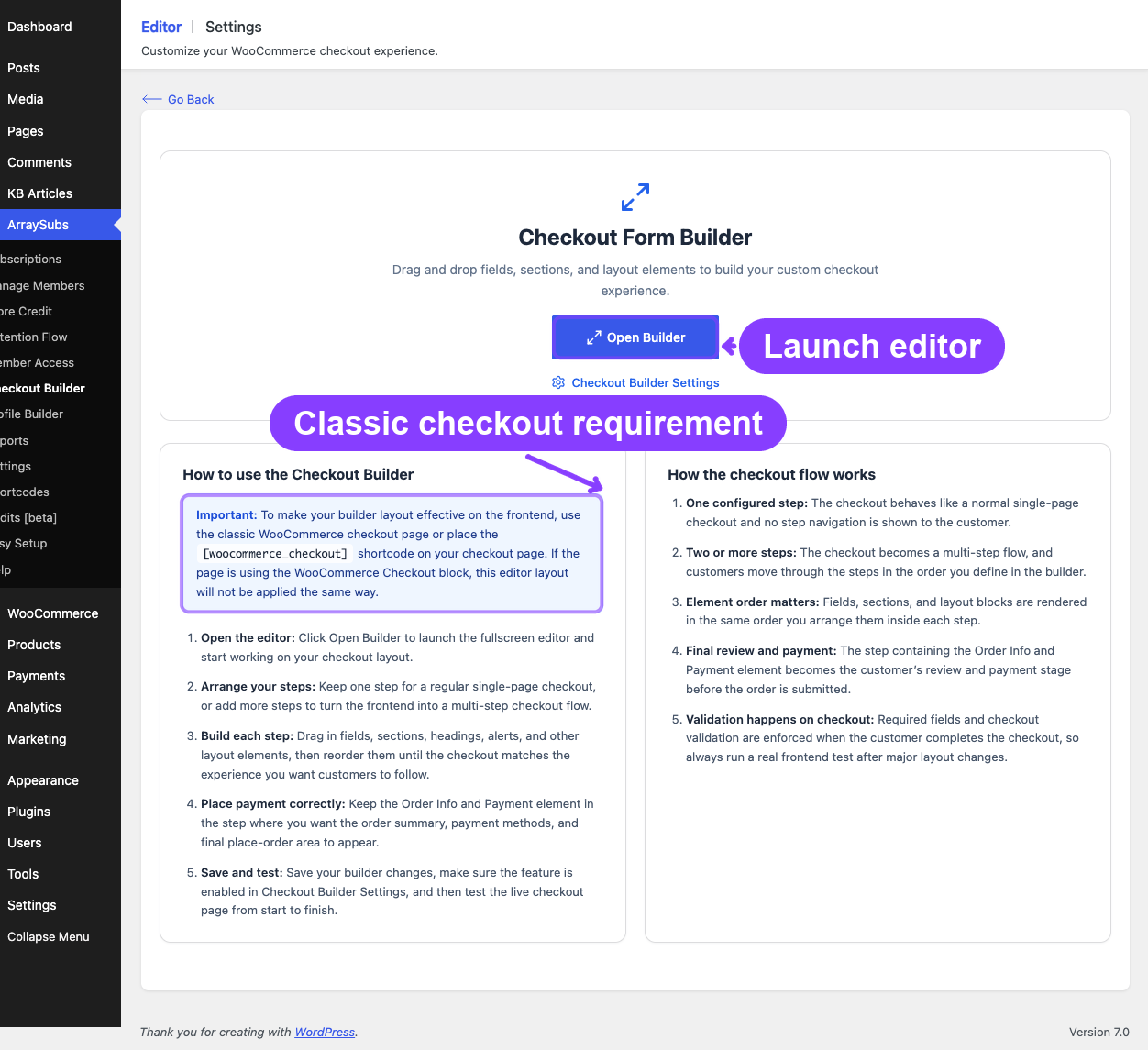
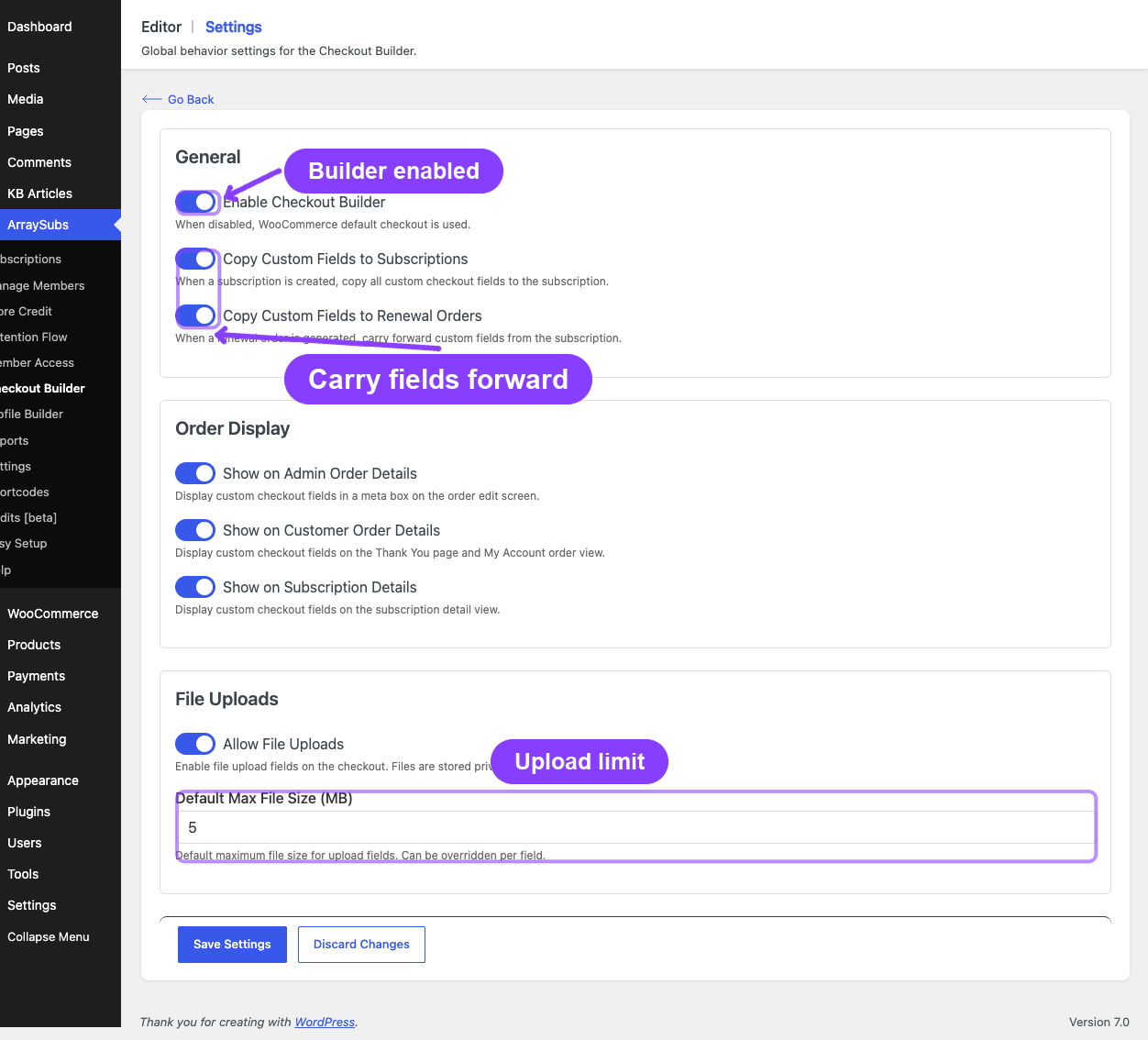
- Checkout Builder Overview — Builder interface, multi-step navigation, field types, design panel, and settings.
- Field Types Reference — All 28 element types: 9 standard inputs, 9 advanced inputs, and 10 layout/WooCommerce elements.
- Checkout Builder Use Cases — 15+ real-world examples for subscription stores of all types.
Quick Reference
| Topic | Availability | What It Controls |
|---|---|---|
| Subscription Checkout | Free | Cart rules, one-click checkout, trial validation, plan switching at checkout, subscription creation |
| Automatic Payments | Pro | Stripe, PayPal, Paddle gateways, auto-renewal charging, webhook routing, payment method storage |
| Checkout Builder | Pro | Custom classic checkout forms, multi-step navigation, 28 element types, conditional logic, design customization |
Prerequisites
- WooCommerce installed and active
- ArraySubs core plugin installed and active
- At least one subscription product created
- For Automatic Payments: ArraySubs Pro plugin active, gateway API credentials configured in WooCommerce payment settings
- For Checkout Builder: ArraySubs Pro plugin active
Related Docs
- General Settings — Cart rules, checkout options, trial settings, and grace period configuration
- Billing and Renewals — How renewal invoices are created, grace period timelines, and different renewal pricing
- Customer Portal — Payment and Shipping — Customer-facing payment method management and auto-renew toggle
- Gateway Health Dashboard (Audits) — Detailed monitoring and troubleshooting guide
Page Navigation
- Current guide: Checkout and Payments
- Where to open it: Storefront checkout and WordPress Admin -> ArraySubs -> Checkout Builder
- Section overview: Open overview
- Previous guide: use-cases
- Next guide: subscription-checkout
- Troubleshooting: Audits, Logs, and Troubleshooting