
Downloads
Provision gated downloadable files to qualifying customers through My Account.
Availability: Free
Page Navigation
- Current guide: Downloads
- Where to open it: WordPress Admin -> ArraySubs -> Member Access -> Downloads
- Direct route:
/wp-admin/admin.php?page=arraysubs-mainadmin#/members-access/downloads-rules - Section overview: Member Access
- Previous guide: Post Types
- Next guide: Conflicts
- Troubleshooting: Audits, Logs, and Troubleshooting
Overview
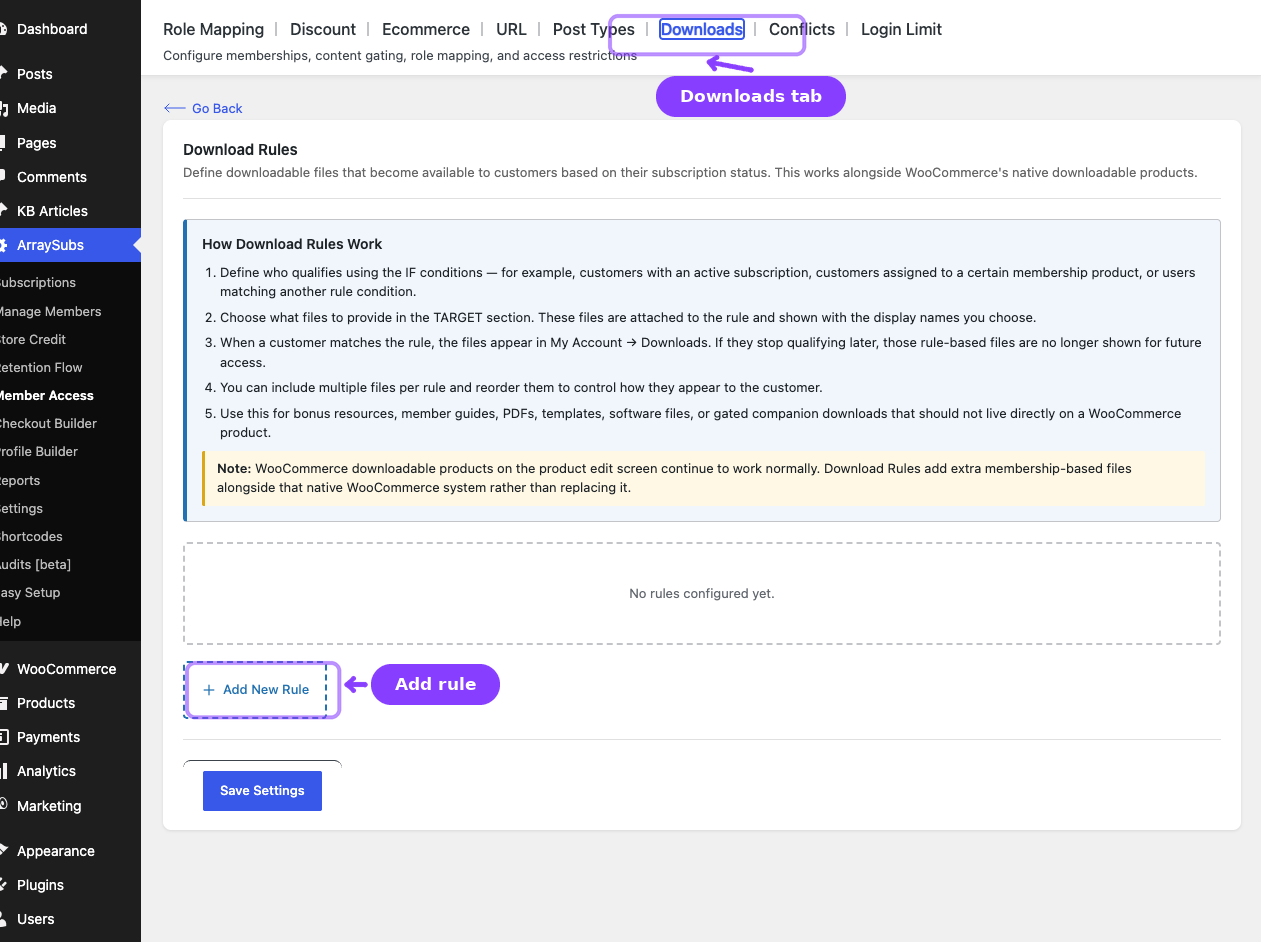
The Downloads tab provisions membership-gated files. Inside the plugin, the content heading is Download Rules and the tab label is Downloads.
Files from these rules appear on My Account -> Downloads alongside normal WooCommerce downloadable product files.
How Download Rules Work
- Add one or more files to the rule.
- Define who qualifies in the IF conditions.
- Optionally delay availability with scheduling.
- When the customer qualifies, the files appear in My Account -> Downloads.
- If the customer stops qualifying later, those rule-based files disappear for future access.
Configuring a Download Rule
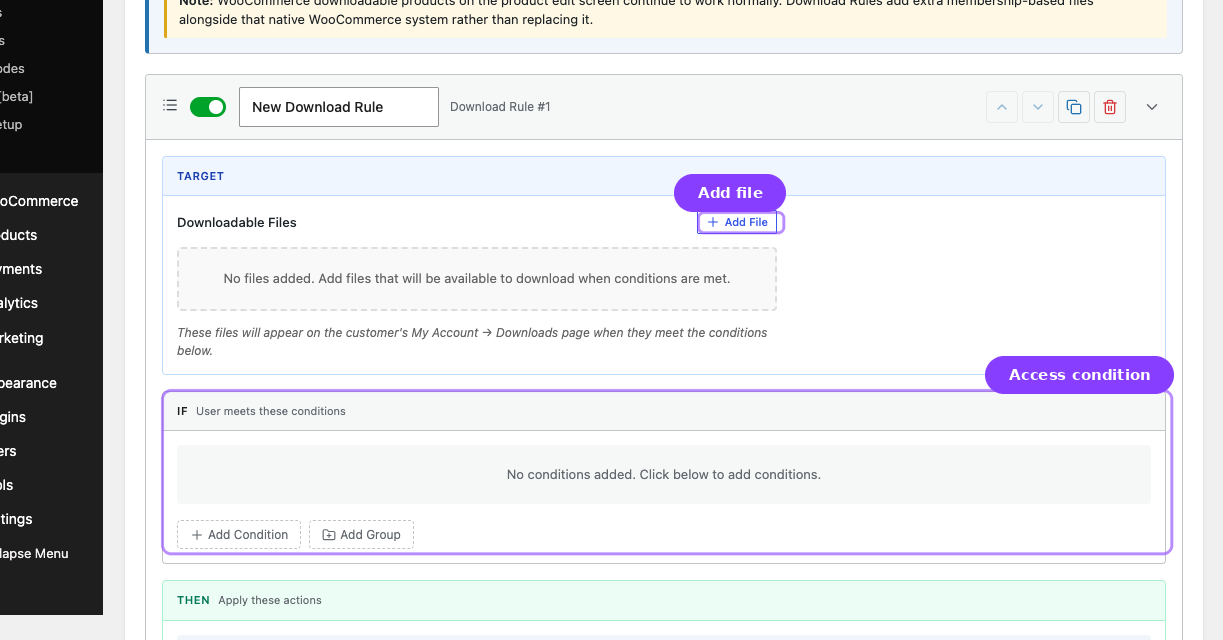
- Go to ArraySubs -> Member Access -> Downloads.
- Click Add New Rule.
- In the TARGET section:
- Click Add File
- Enter a display name
- Choose the file from the Media Library
- Repeat as needed
- Set the IF conditions.
- Optionally enable scheduling.
- Click Save Settings.
File Management
| Action | How |
|---|---|
| Add a file | Click Add File |
| Reorder files | Drag the handle or use the arrow buttons |
| Replace a file | Reopen the picker for that file row |
| Remove a file | Use the remove action on that row |
Access Notes
- Downloads are served through signed or verified links rather than exposing the raw file location directly.
- External file URLs can still be used; ArraySubs redirects the qualified customer to the external asset.
- Rule-based downloads coexist with WooCommerce product downloads.
Related Guides
- Shop Access — Restrict products themselves instead of provisioning extra files.
- Customer Portal Pages — Where customers see the Downloads area.
FAQ
Are Download Rules the same as WooCommerce product downloads?
No. They are an additional membership-based layer that appears alongside native WooCommerce downloads.
Can I drip-download files later in the subscription?
Yes. Use the schedule option on the rule.