
Discount
Offer member-only pricing on store products based on subscription conditions.
Availability: Free
Page Navigation
- Current guide: Discount
- Where to open it: WordPress Admin -> ArraySubs -> Member Access -> Discount
- Direct route:
/wp-admin/admin.php?page=arraysubs-mainadmin#/members-access/discount-rules - Section overview: Member Access
- Previous guide: Content Gate
- Next guide: Shop Access
- Troubleshooting: Audits, Logs, and Troubleshooting
Overview
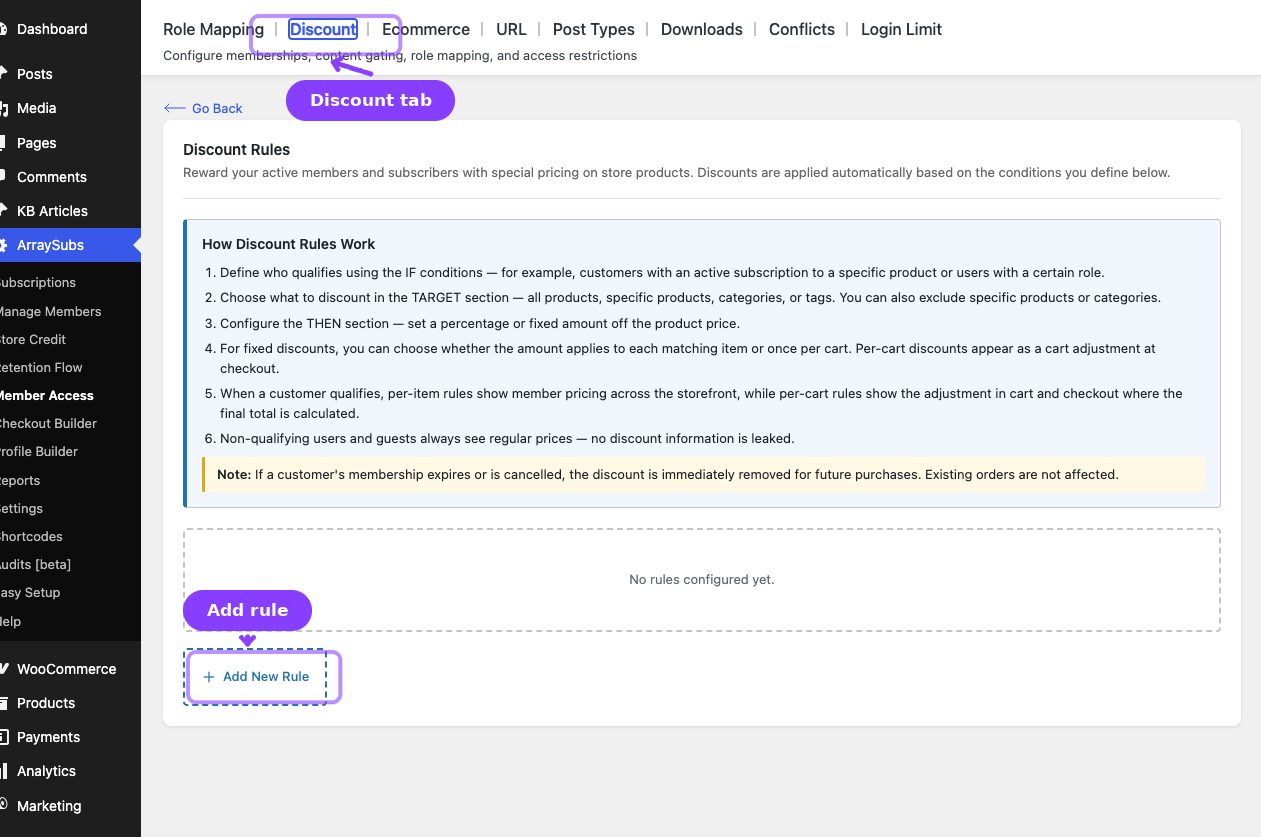
The Discount tab controls subscriber-only pricing. Inside the plugin, the screen heading is Discount Rules and the tab label is Discount.
Discount rules can:
- Apply a percentage or fixed discount
- Target all products or only selected products, categories, or tags
- Exclude products or categories from the discount
- Apply fixed discounts per item or per cart
- Use the same condition builder as the rest of Member Access
How Discount Rules Work
- Define who qualifies in the IF section.
- Choose the discount target in the TARGET section.
- Configure the discount type and value in the THEN section.
- If multiple per-item discount rules match, the best price wins.
- If a customer no longer qualifies, the discount stops applying to future purchases.
Configuring a Discount Rule
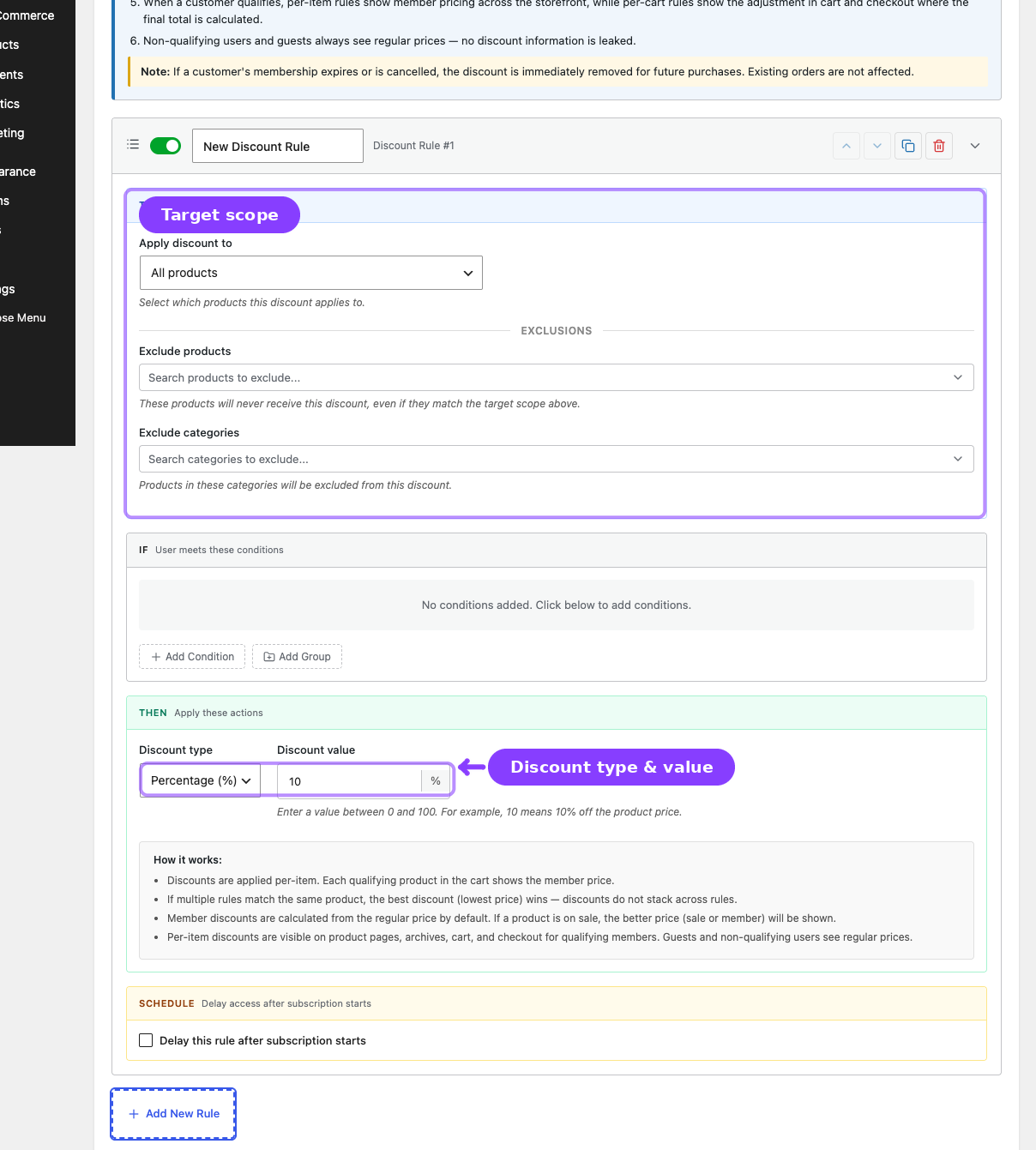
- Go to ArraySubs -> Member Access -> Discount.
- Click Add New Rule.
- Set the IF conditions.
- Configure the TARGET section:
| Field | What It Does |
|---|---|
| Apply discount to | All products, specific products, specific categories, or specific tags |
| Exclude products | Products that should not receive the discount |
| Exclude categories | Categories that should not receive the discount |
- Configure the THEN section:
| Field | Values | What It Does |
|---|---|---|
| Discount Type | Percentage or Fixed amount | Selects how the discount is calculated |
| Discount Value | Number | The percentage or fixed amount |
| Apply To | Per item or Per cart | Available for fixed-amount discounts |
- Optionally enable a schedule if access to the discount should unlock later.
- Click Save Rules.
Pricing Behavior
- Per-item discounts change the displayed storefront price and cart calculation price.
- Per-cart discounts appear during cart or checkout totals and do not stack on top of existing per-item savings.
- If multiple per-item rules match, the customer gets the lowest final price.
- Discounts do not overwrite the product's stored WooCommerce price for everyone else.
Compatibility Notes
- Guests do not receive member pricing.
- Existing WooCommerce sale prices are not automatically stacked with member pricing.
- WooCommerce coupons can coexist with member discounts unless custom development changes that behavior.
- Variable products are supported at the variation level.
Related Guides
- Shop Access — Restrict who can see or buy products, not just who gets special pricing.
- Downloads — Gate downloadable resources instead of product prices.
- Coupons — Coupon-specific behavior outside Member Access discounts.
FAQ
Do multiple member discounts stack?
No. The best qualifying discount wins.
Can I make the discount apply only to certain products?
Yes. Use the TARGET section to scope by product, category, or tag and then add exclusions when needed.