
Login Limit
ProLimit concurrent login sessions per account, set a global fallback, and create rule-based session overrides.
Availability: ArraySubs Pro
Page Navigation
- Current guide: Login Limit
- Where to open it: WordPress Admin -> ArraySubs -> Member Access -> Login Limit
- Direct route:
/wp-admin/admin.php?page=arraysubs-mainadmin#/members-access/login-limit - Section overview: Member Access
- Previous guide: Conflicts
- Next guide: Checkout and Payments
- Troubleshooting: Audits, Logs, and Troubleshooting
Overview
The Login Limit tab combines two layers:
- A top settings card titled Multi-Login Prevention
- A rule builder titled Login Limit Rules
Use this tab when different customers or plans should be allowed different numbers of concurrent sessions.
Global Settings
The top card controls the default behavior for every user who does not match a more specific rule.
| Setting | What It Does |
|---|---|
| Enable Multi-Login Prevention | Turns concurrent-session enforcement on or off |
| Default max sessions per user | Fallback session cap |
| Apply to administrators | Includes admins in session enforcement |
How Login Limit Rules Work
- Turn on Enable Multi-Login Prevention.
- Define the global fallback limit.
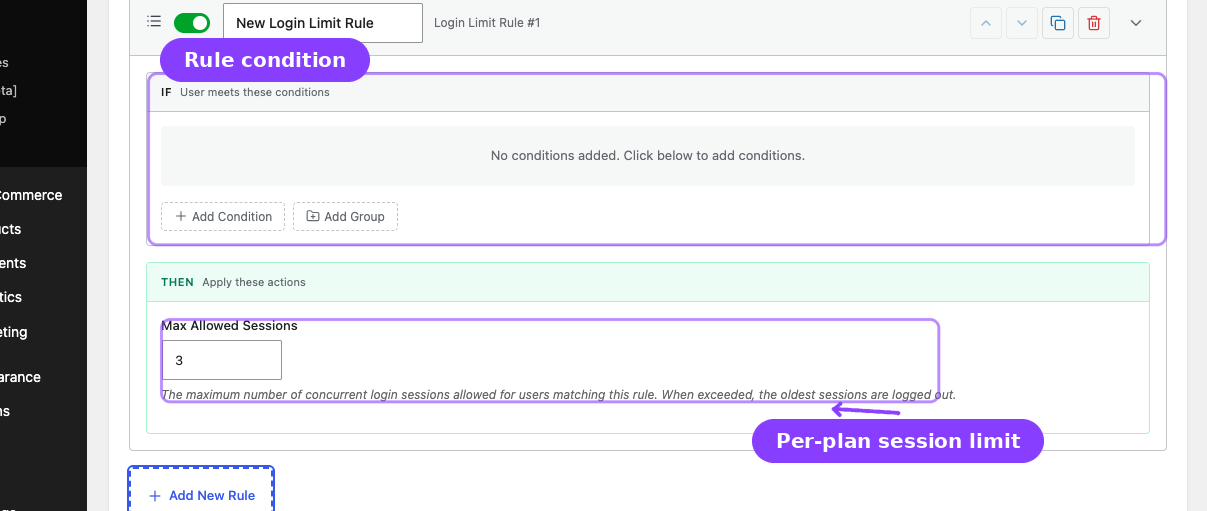
- Add Login Limit Rules for plan-specific or condition-specific exceptions.
- When a user matches multiple Login Limit rules, the highest session limit wins.
- If a user exceeds their allowed session count, the oldest session is destroyed and the new login succeeds.
Impersonated sessions from the Login as User feature are not counted and are never evicted by this system.
Configuring a Login Limit Rule
- Go to ArraySubs -> Member Access -> Login Limit.
- Enable Multi-Login Prevention.
- Set Default max sessions per user.
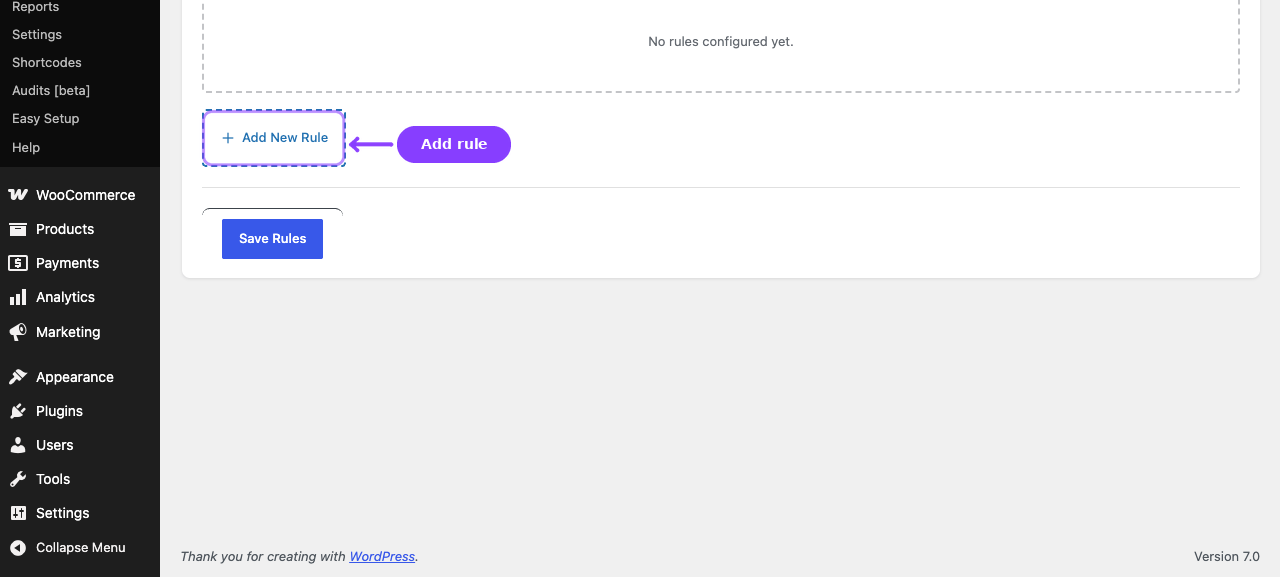
- Click Add New Rule.
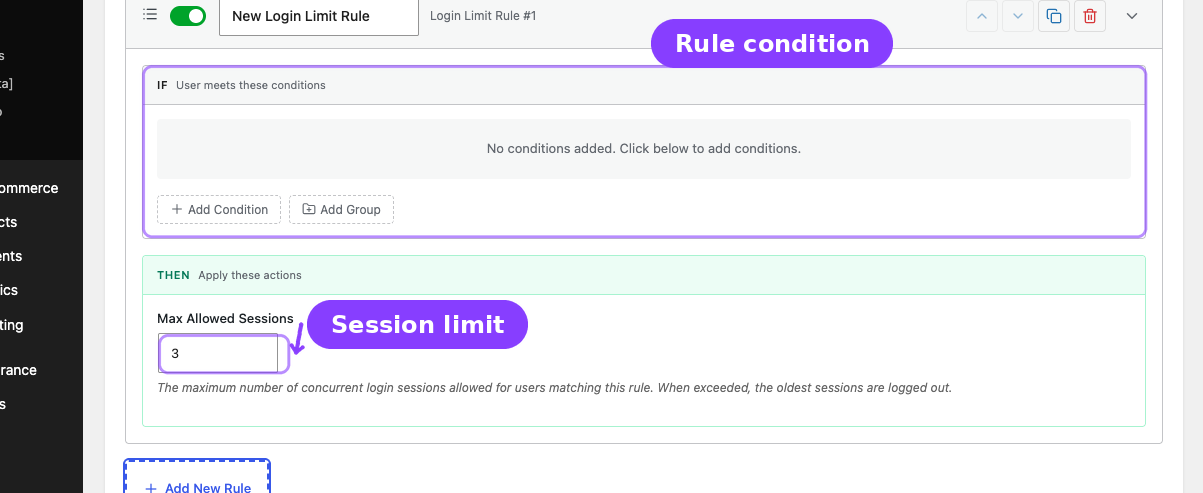
- Set the IF conditions.
- Set Max Allowed Sessions in the THEN section.
- Click Save Login Limits.
Rule Resolution
| Scenario | Effective Limit |
|---|---|
| No Login Limit rules match | Global default |
| One rule matches | That rule's limit |
| Multiple rules match | Highest matching limit |
Customer Experience
When the account exceeds its limit:
- The newest login succeeds.
- The oldest session token is destroyed.
- Older tabs or browsers are logged out on the next heartbeat or refresh.
There can be a short delay before the logged-out browser visibly redirects because WordPress heartbeat checks are periodic.
Related Guides
- Role Mapping — Uses the same condition builder style for role automation.
- Login as User — Impersonated sessions are intentionally excluded.
FAQ
If two rules match, which one wins?
The highest Max Allowed Sessions value wins.
Does the current login fail when the limit is reached?
No. The new login succeeds and the oldest session is removed.