
Profile Builder and My Account Customization
Collect custom profile data from customers, let them upload avatars, rearrange the My Account menu, add custom pages, and use shortcodes to display user-specific content anywhere on your site.
Availability: Free — some integrations like My Features page and Store Credit page placement require Pro
Page Navigation
- Current guide: Profile Builder and My Account Customization
- Where to open it: WordPress Admin -> ArraySubs -> Profile Builder
- Section overview: Open overview
- Previous guide: profile-form
- Next guide: shortcodes
- Troubleshooting: Audits, Logs, and Troubleshooting
What's Inside
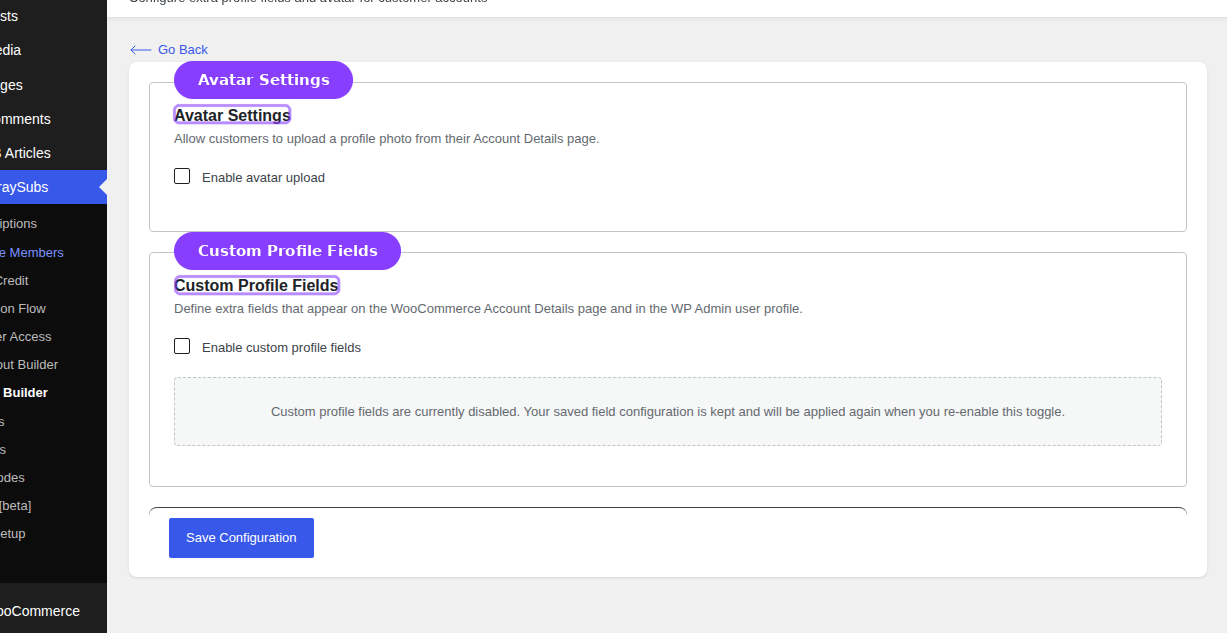
The Profile Builder area in ArraySubs gives you three sets of tools under one menu:
| Tool | What It Does |
|---|---|
| Profile Form | Create custom profile fields and avatar upload for customer accounts and admin user profiles |
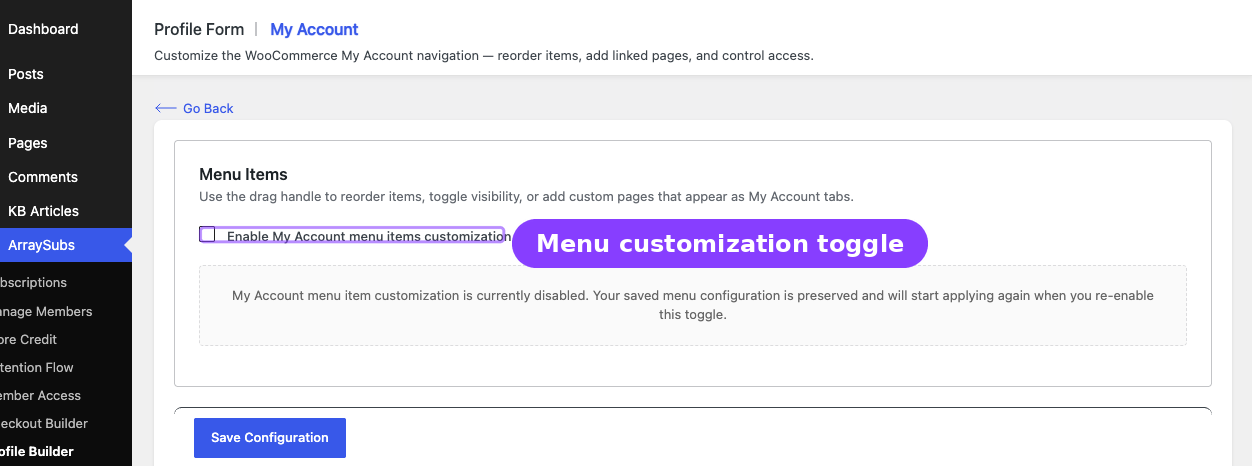
| My Account Editor | Reorder, rename, hide, or add custom pages to the WooCommerce My Account navigation menu |
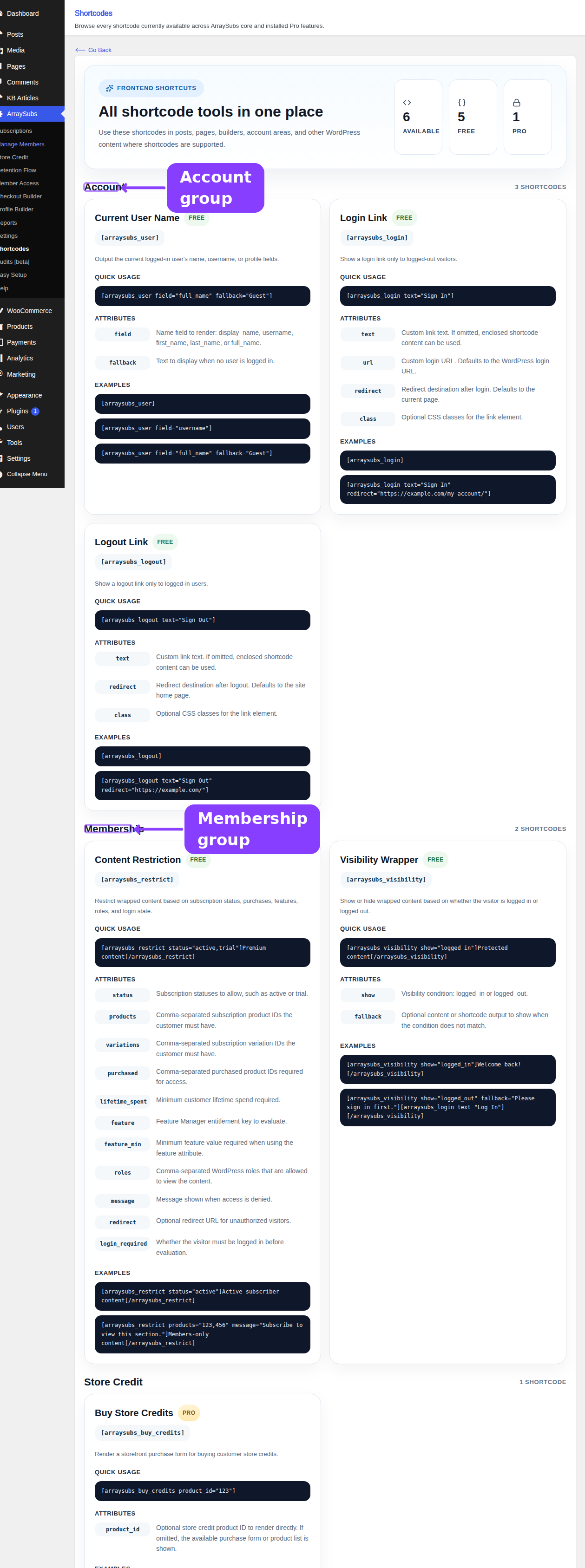
| Shortcodes | Use shortcodes to show login/logout links, user info, visibility-gated content, and subscription-restricted content on any page |
Where to Find It
The Profile Builder menu lives in the main ArraySubs admin panel:
- Profile Form — ArraySubs → Profile Builder → Profile Form
- My Account Editor — ArraySubs → Profile Builder → My Account
- Shortcodes — ArraySubs → Shortcodes
Quick Start
-
Add custom profile fields — Go to Profile Form, enable custom fields, create your first field, and save. Customers see the new fields on their My Account → Account Details page immediately.
-
Enable avatar upload — On the same Profile Form page, toggle avatar uploads on. Customers can upload a profile photo from their account page.
-
Customize the My Account menu — Open the My Account editor, drag menu items into your preferred order, rename any label, or add a custom page linked to an existing WordPress page.
-
Use shortcodes — Visit the Shortcodes catalog page for ready-to-copy examples. Paste
[arraysubs_visibility show="logged_in"]Welcome back![/arraysubs_visibility]into any page or post.
Guides in This Section
- Profile Form — Custom fields, avatar settings, field types, and where data appears
- My Account Editor — Menu customization, custom endpoint pages, and Pro feature integration
- Shortcodes — All available shortcodes with attributes, examples, and use cases
Related Guides
- Customer Portal — How customers interact with subscriptions in My Account
- Settings — Toolkit — Login page hiding, admin bar, and wp-admin access settings
- Store Credit — Store Credit My Account page Pro