
Shop Access
Restrict who can browse, view, or purchase products based on membership conditions.
Availability: Free
Page Navigation
- Current guide: Shop Access
- Where to open it: WordPress Admin -> ArraySubs -> Member Access -> Shop Access
- Direct route:
/wp-admin/admin.php?page=arraysubs-mainadmin#/members-access/ecommerce-rules - Section overview: Member Access
- Previous guide: Discount
- Next guide: URL
- Troubleshooting: Audits, Logs, and Troubleshooting
Overview
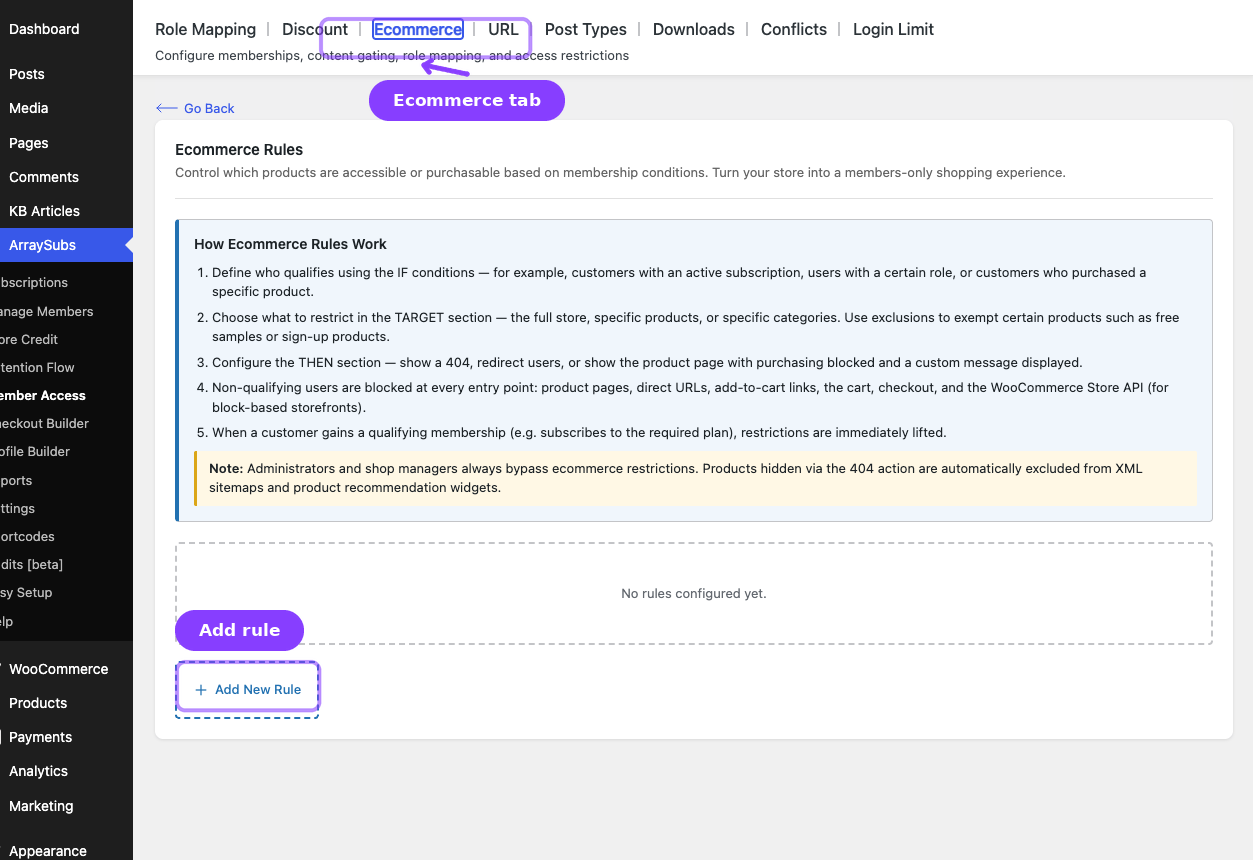
The Shop Access tab controls storefront visibility and purchase restrictions. Inside the plugin, the screen heading is Shop Access Rules and the tab label is Shop Access.
Use this tab when:
- Only qualifying customers should see products
- Products should return 404 for non-members
- Products can be viewed but not purchased
- Non-qualifying users should be redirected to login or a pricing page
How Shop Access Rules Work
- Define who qualifies in the IF section.
- Choose the product scope in the TARGET section.
- Set the denial action in the THEN section.
- ArraySubs applies the restriction across product pages, add-to-cart flows, cart validation, checkout, and supported Store API flows.
- When the customer qualifies later, the restriction is lifted automatically.
Configuring a Shop Access Rule
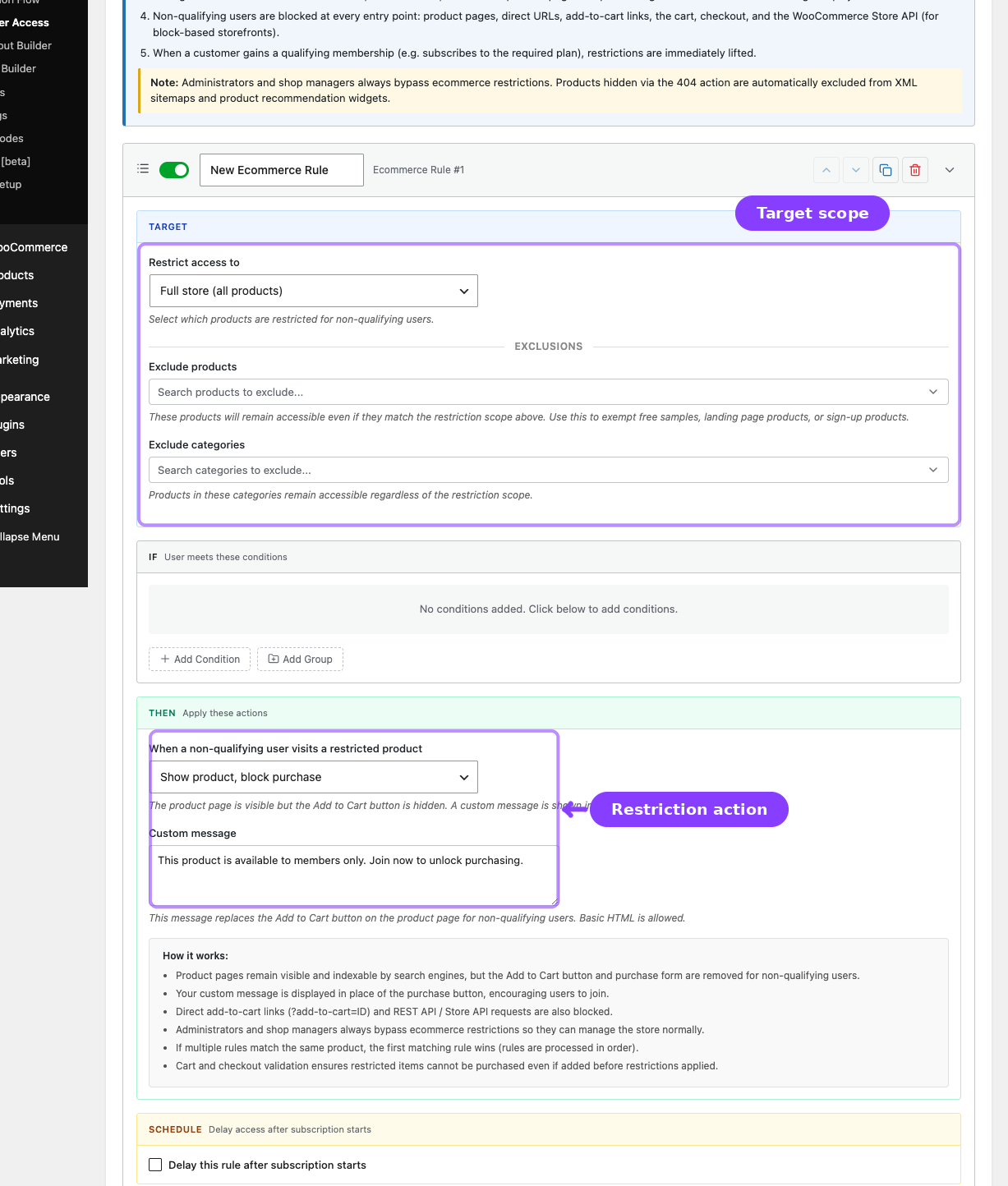
- Go to ArraySubs -> Member Access -> Shop Access.
- Click Add New Rule.
- Set the IF conditions.
- Configure the TARGET section:
| Field | What It Does |
|---|---|
| Restrict access to | Full store, specific products, or specific categories |
| Exclude products | Exceptions to the rule |
| Exclude categories | Category-level exceptions |
- Set the THEN action:
| Action | What Happens |
|---|---|
| Show product, block purchase | Product remains visible but cannot be purchased |
| Return 404 (product not found) | Product is hidden and returns 404 |
| Redirect to login page | Visitor is sent to login |
| Redirect to a specific page | Visitor is sent to a chosen URL |
- Add a custom message or redirect URL when required.
- Optionally enable scheduling.
- Click Save Rules.
Action Behavior
- Block purchase keeps the product visible but disables or replaces the purchase action.
- 404 hides the product from direct visits, catalogs, search results, and supported sitemap outputs.
- Redirect sends non-qualifying visitors away on direct product access.
- ArraySubs also validates cart and checkout flows so restricted items cannot be purchased through alternate entry points.
Related Guides
- Discount — Keep products visible but offer special prices instead.
- URL — Restrict page paths instead of WooCommerce products.
- Downloads — Gate downloadable files shown in My Account.
FAQ
Should I use Shop Access or URL for products?
Use Shop Access for WooCommerce product behavior. It integrates more deeply with product queries, cart checks, checkout, and storefront behavior than URL.
Can a product stay visible but blocked from purchase?
Yes. Use Show product, block purchase.