
Post Types
Gate posts, pages, and custom post types with archive behavior and per-target access control.
Availability: Free
Page Navigation
- Current guide: Post Types
- Where to open it: WordPress Admin -> ArraySubs -> Member Access -> Post Types
- Direct route:
/wp-admin/admin.php?page=arraysubs-mainadmin#/members-access/cpt-rules - Section overview: Member Access
- Previous guide: URL
- Next guide: Downloads
- Troubleshooting: Audits, Logs, and Troubleshooting
Overview
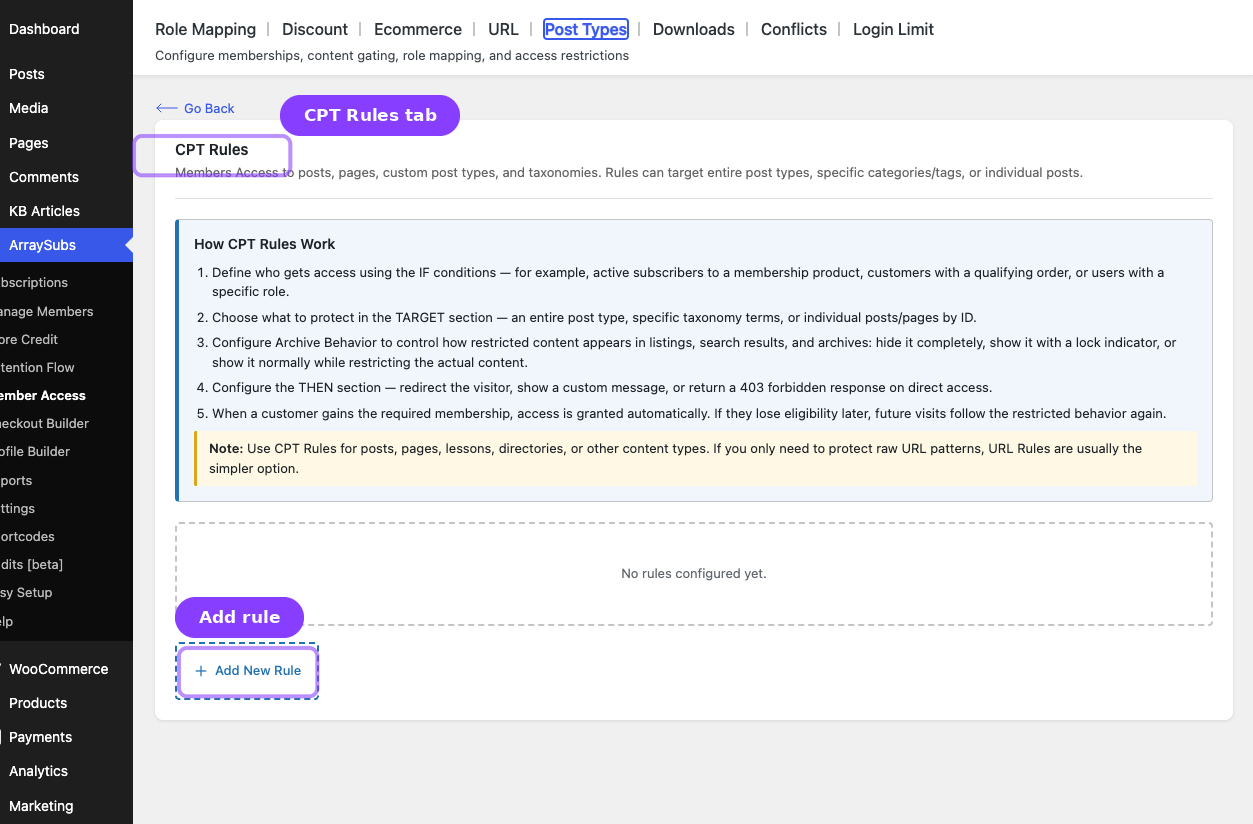
The Post Types tab protects posts, pages, and custom post types. Inside the plugin, the content heading is CPT Rules, but the tab label shown in the Member Access UI is Post Types.
Use this tab when:
- Entire content types should be restricted
- Only certain taxonomy terms should be protected
- Specific posts or pages need direct targeting
- Archive/listing behavior should be controlled separately from single-item access
How Post Types Rules Work
When a visitor loads content, ArraySubs evaluates the matching Post Types rules and any higher-priority per-post restriction meta on that content.
Supported target modes:
| Target Type | What It Restricts |
|---|---|
| Entire Post Type | Every item in a post type |
| By Taxonomy/Category | Items in selected terms |
| Specific Posts/Pages | Hand-picked items by ID |
Configuring a Post Types Rule
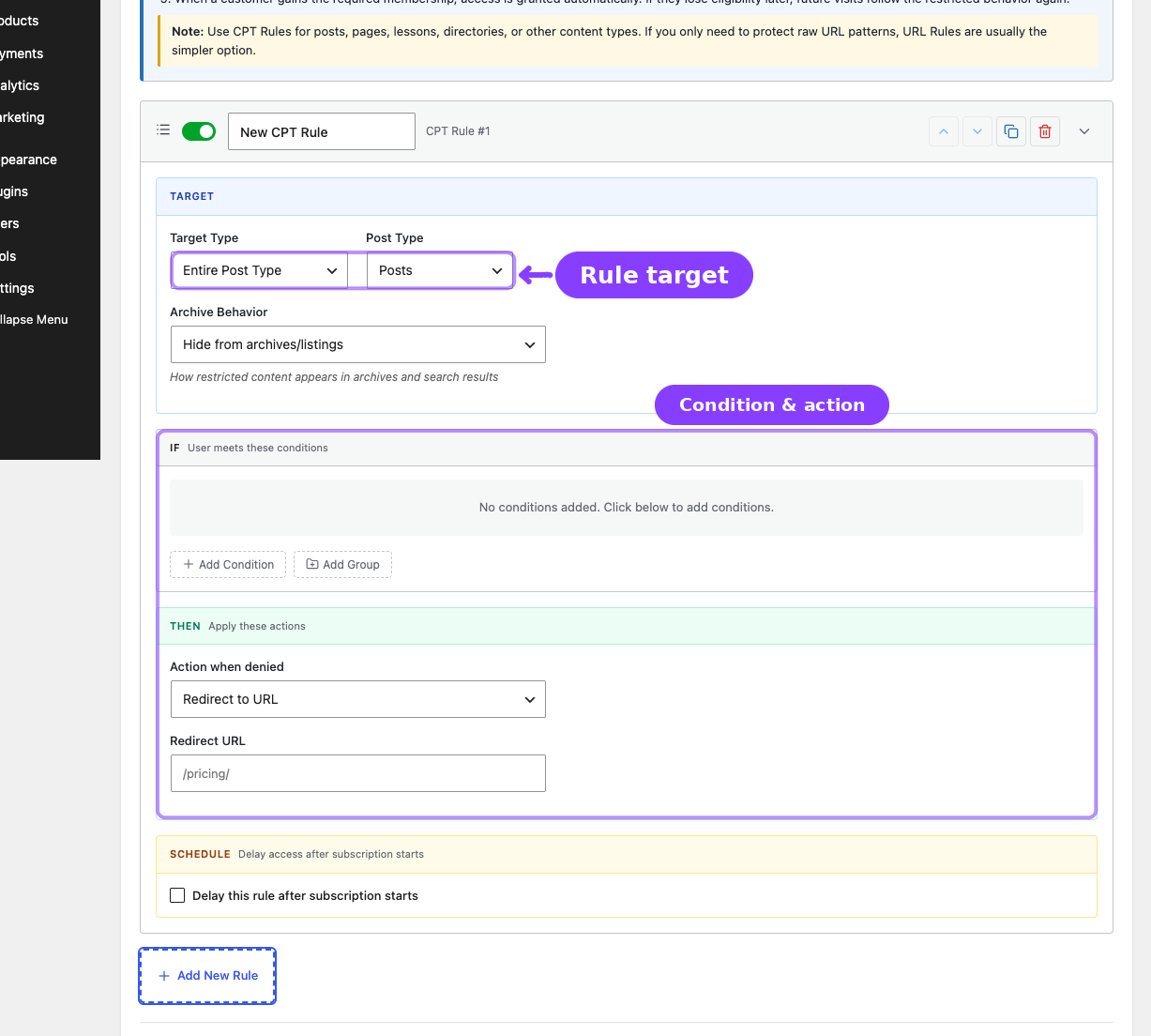
- Go to ArraySubs -> Member Access -> Post Types.
- Click Add New Rule.
- Configure the TARGET section:
| Field | What It Does |
|---|---|
| Target Type | Entire Post Type, By Taxonomy/Category, or Specific Posts/Pages |
| Post Type | Which post type is affected |
| Taxonomy | Which taxonomy to filter by |
| Terms | Which terms are protected |
| Posts/Pages | Specific posts or pages to target |
- Set the IF conditions.
- Set the THEN action.
- Configure Archive Behavior.
- Optionally enable scheduling.
- Click Save Rules.
Archive Behavior
| Behavior | Effect |
|---|---|
| Hide from archives/listings | Restricted items disappear from archives and search-style listings |
| Show with lock icon | Items stay visible in listings but signal that access is restricted |
| Show normally (restrict content only) | Listings stay normal; restriction happens on the single content view |
Per-Post Restrictions
Per-post restriction meta has higher priority than broad Post Types rules. If a single post has its own restriction enabled, that per-post rule wins for that post. That includes the per-post enabled flag, custom conditions, and custom denied message stored directly on the content.
Related Guides
- URL — Protect path patterns instead of post content structures.
- Content Gate — Use when only part of the page should be protected instead of the whole post.
- Conflicts — Review overlaps between URL rules and more specific post-level overrides.
FAQ
What is the difference between Post Types and Content Gate?
Use Post Types when the whole content object should be governed by ArraySubs rules. Use Content Gate when only part of the page should be protected.
Can I keep posts visible in archives but restrict the content?
Yes. Use Show normally (restrict content only).