
Shortcode Cross-Reference
Page Navigation
- Current guide: Shortcode Cross-Reference
- Where to open it: WordPress Admin -> ArraySubs -> Shortcodes
- Direct route:
/wp-admin/admin.php?page=arraysubs-mainadmin#/shortcodes - Full shortcode reference: Shortcodes
- Account form shortcodes: Account Shortcodes
- Content access shortcodes: Content Gating Shortcodes
- Store credit purchase shortcode: Store Credit Shortcode Pro
- Section overview: Open overview
- Previous guide: README
- Next guide: README
- Troubleshooting: Audits, Logs, and Troubleshooting
What Changed
Shortcodes now live in their own manual section because they are used across Profile Builder, Member Access, Store Credit, and general storefront pages. Keep using this page when you start from Profile Builder and need to decide which shortcode guide to open next.
Which Shortcode Guide Should I Use?
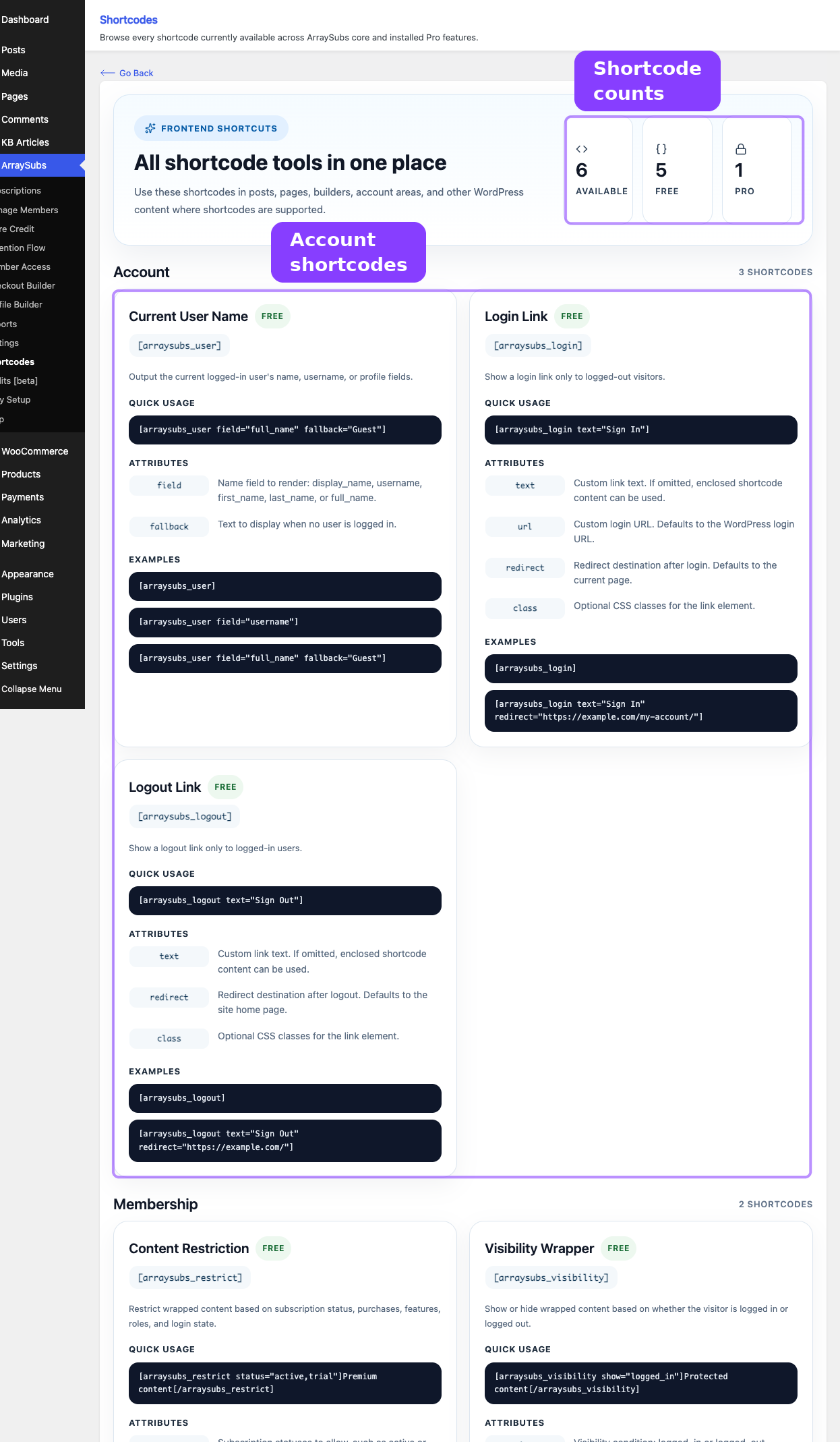
| Goal | Open this guide | Shortcodes covered |
|---|---|---|
| Show login, logout, or current-user information in a page built outside My Account | Account Shortcodes | [arraysubs_login], [arraysubs_logout], [arraysubs_user] |
| Hide or show page sections based on subscription status, role, or access rules | Content Gating Shortcodes | [arraysubs_visibility], [arraysubs_restrict] |
| Let customers buy store credit from any page | Store Credit Shortcode | [arraysubs_buy_credits] Pro |
How To Use This With Profile Builder
- Use Profile Builder → Profile Form when you want to configure account fields that appear in My Account and user profiles.
- Use Profile Builder → My Account Editor when you want to control the WooCommerce My Account menu and page ordering.
- Use the dedicated Shortcodes section when you want to place account, content access, or store credit tools inside normal WordPress pages, Elementor layouts, block editor content, or theme templates.
Can I?
Can I embed Profile Builder fields with a shortcode?
Not directly. Profile Builder fields are rendered through the My Account/profile integrations. Use the shortcode guides for standalone account forms and gated content.
Can I link a shortcode page from My Account?
Yes. Create a WordPress page that contains the shortcode, then add that page as an endpoint or custom menu item from My Account Editor.
Can I mix shortcodes with Member Access rules?
Yes. The content gating shortcodes are designed to complement Member Access, especially when you need inline page sections rather than full-page redirects.